
About Creative Library
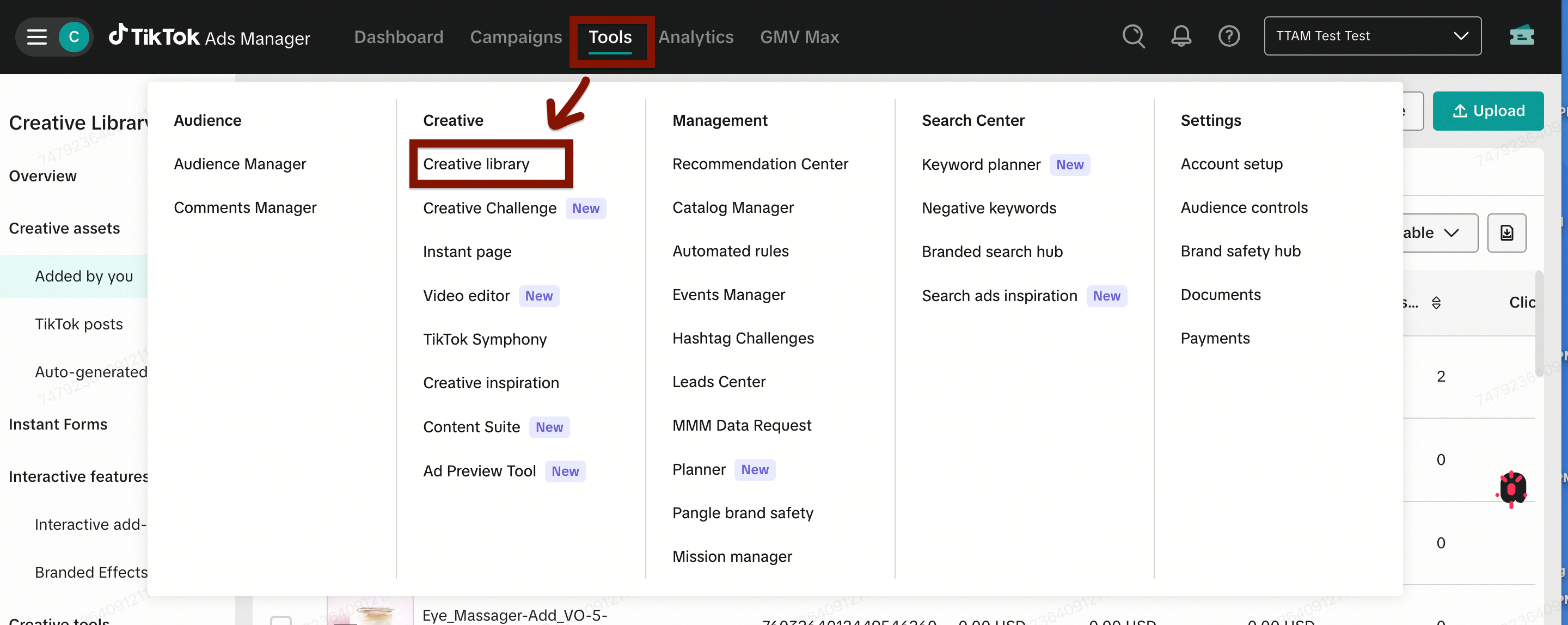
Creative Library is a creatives hub in TikTok Ads Manager that supports advertisers across the creative journey, from preparing creatives for active campaigns to incorporating trends for creative production. It has tailored modules based on account data, including creative readiness tasks and recommendations to optimize to use the best creatives. Advertisers can efficiently manage creatives and pre-generate AI creatives to easily preview and approve to grow their creative volume.
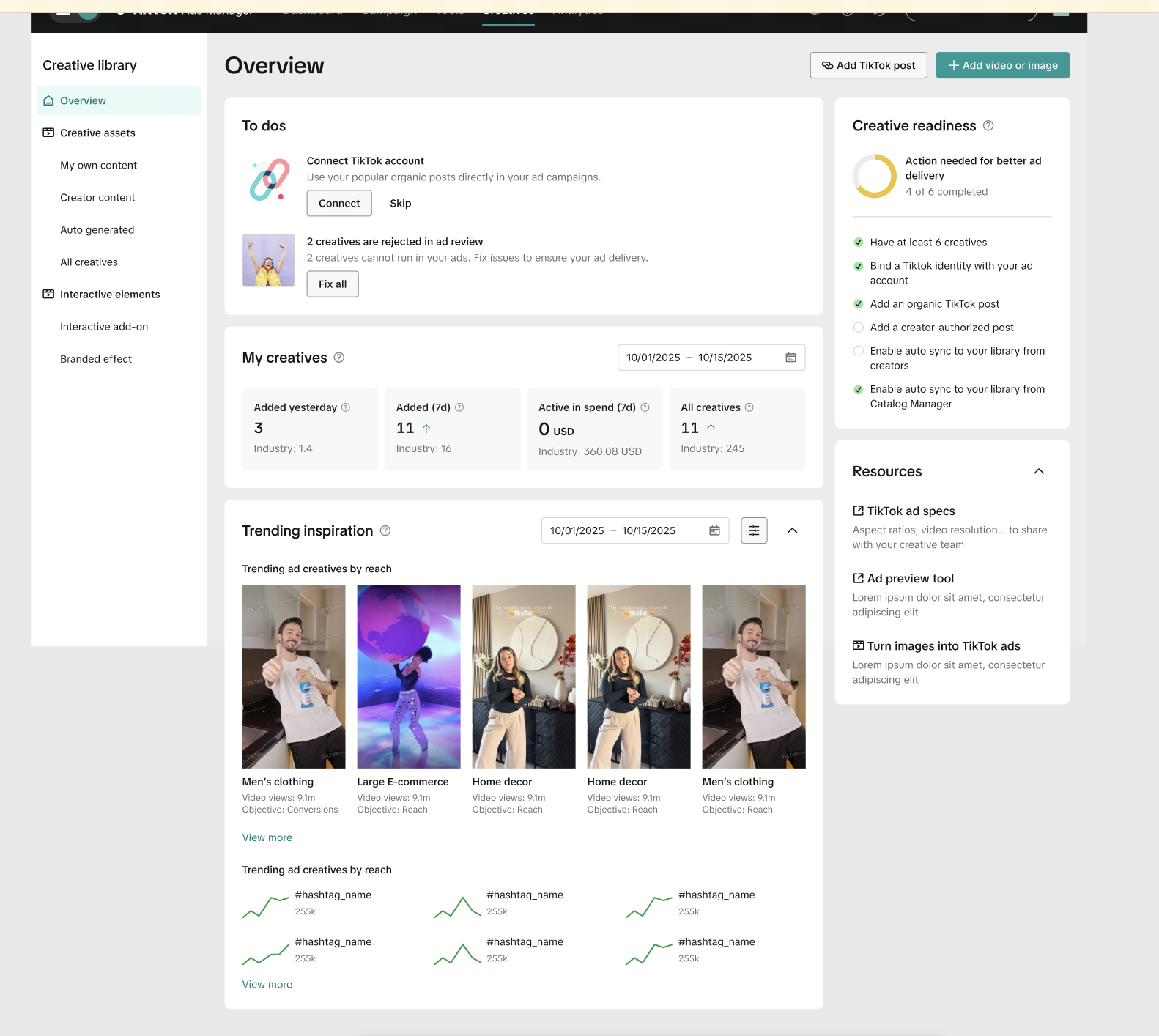
Creative Library has an Overview page with key tasks, recommendations and trends for creative management, optimization and production. This can serve as a homepage for creative needs for campaign managers and creative production teams.
Availability
Buying type: Auction & Reservation
Placement type: All
Ad objectives: All
Ad formats: Video, Image (single), Carousel, Playable
Benefits
Manage creatives more efficiently: Organize and select creatives to easily upload, view and analyze creatives based on categories that match options when setting up an ad.
Improve creative readiness: Review indicators and complete tasks to increase creative availability for ad campaigns.
Easily manage your creatives in one place: Access and view creatives by source to match options in ad creation.
Optimize creatives: Act on recommendations that guide creative optimization and production to drive growth.
Increase creative supply: Pre-generate AI creatives to easily preview and expand creative volume and variation.
Creative Library modules
Creative Library is organized into the following core modules that support the full creative lifecycle—from preparing creatives, to activating and optimizing them, and informing the next round of creative production.
Overview
The Overview module helps you quickly understand the current state of your creative setup and identify the most important next actions.You can:
Get started with adding creatives when no creatives are available
Review to-do items that may affect ad delivery, such as rejected creatives or missing setup steps
See a snapshot of creative volume and activity, including newly added creatives and creatives with spend
Explore trending inspiration to inform future creative ideas
Pre-generate AI creatives to increase creative supply
This module serves as the homepage for creative management and helps advertisers prioritize what to fix, add, or improve.
Creative Readiness
The Creative Readiness module provides actionable guidance to help you prepare creatives for activation.You can:
Identify gaps in creative quantity or format coverage
Review recommended actions needed to improve creative readiness
Prepare creatives so they are ready to be published and used in campaigns
This helps you avoid launching or scaling campaigns without sufficient or ready creatives.
Creative assets
The Creative Assets module allows you to upload, organize, and manage all creatives for campaigns.You can:
Upload and store creatives across formats, including Video, Image, Playable, and Spark ad posts
View creatives grouped by creative source, aligning with ad creation:
Added by you
Creator content
Auto-generated
Review which creatives are available, active, or ready to be used when setting up or scaling campaigns
This module supports day-to-day creative selection and rotation during ad creation.
Interactive elements
Interactive Elements are Interactive add-ons and Branded Effects. With the Interactive Elements module, you can select these specific ad format enhancements more efficiently and easily preview them.You can:
Preview and apply Interactive add-ons (card, sticker, or Premium Add-ons such as Interactive Gesture or Pop-out Showcase) to improve ad performance
Explore Branded Effects to expand and iterate on creative executions
This module helps you continuously expand, test, and refine creatives over time.
