How to use zip code targeting
Zip code targeting is a type of location targeting that allows you to target ads for people based in the chosen zip code area. There are two methods to add zip code targeting to an ad group:
Search function
Bulk Upload tool
You can use zip code targeting to focus on a specific area. When you apply zip code targeting, it narrows your audience, which may yield a higher CPA.Note: Zip code targeting is only available in the US.Learn more about ad location targeting.
Before you begin
Upload as many zip codes as possible to maximize your reach. We recommend thousands of zip codes per ad group.
If driving the most efficient Cost Per Action (CPA) is your top priority, enter a target CPA using Target Cost per Result. This will keep your average cost around or lower than your bid.
When you build an ad group with zip code targeting, you will need to check the audience estimation tool to ensure you have a targetable audience size.
How to use zip code targeting
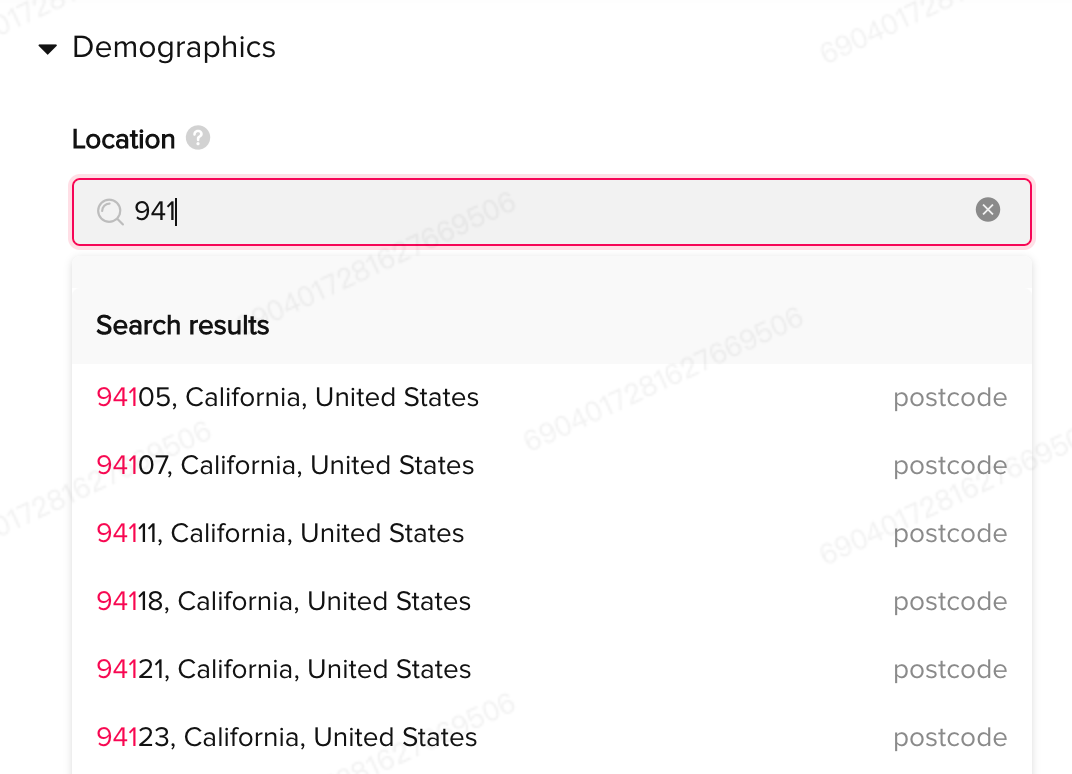
To add zip code targeting to an ad group using the search function:
Go to the Demographics drop down.
Go to the Location search box.
Search for individual zip codes and select them from the Location drop down.
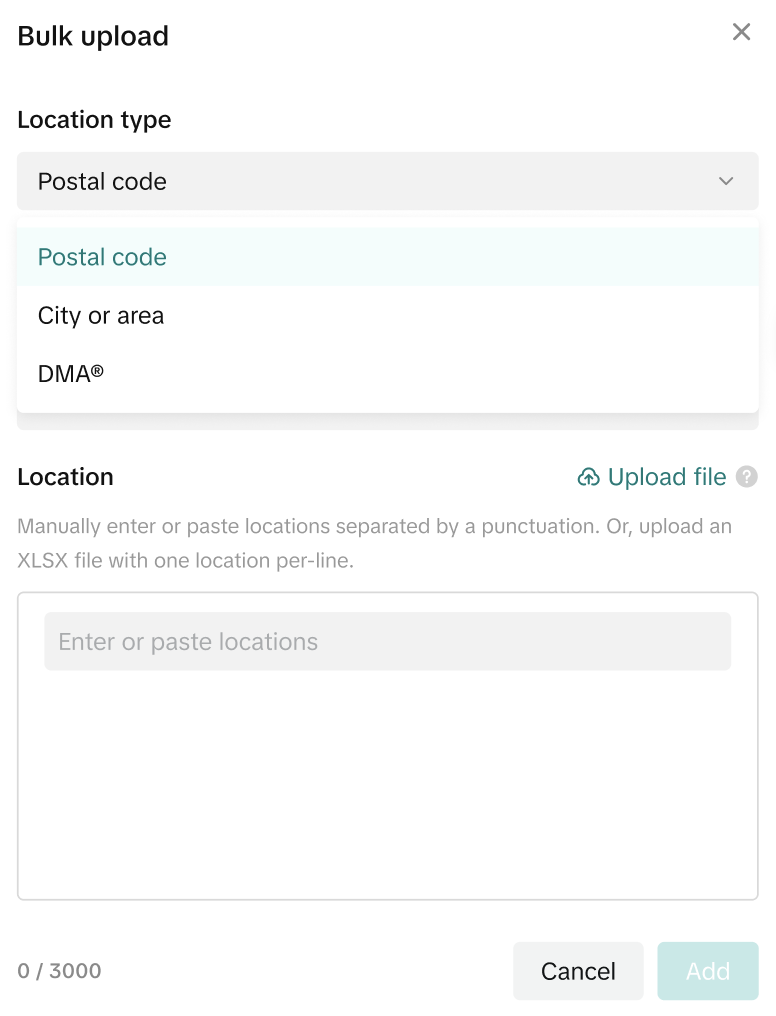
To add zip code targeting to an ad group using bulk upload:
Go to Bulk Upload.
Choose a Location Type.
Manually enter zip codes by copying and pasting them into the Location box.
Or, click Upload file to upload zip codes.
File requirements:
.xls file
No column header is required
Single column of data with one zip code per row
Zip codes should include only 5 digits (If zip + 4 is uploaded, we will consider only the first 5 digits)