
About Ad Assistant Diagnosis
Ad Assistant Diagnosis is an AI-powered capability in TikTok Ads Manager that provides real-time insights into ad group delivery and performance. By analyzing campaign setup, performance signals, and recent changes, Diagnosis surfaces conditions by category and presents targeted recommendations to help you address issues, protect performance, and identify opportunities for optimization or scaling.
Availability
Level supported: Ad group level, Smart+ supports campaign level
Ad objectives supported:
Performance auction campaigns, including App, Lead, and Sales
Not supported for branding objectives, GMV Max, or upgraded Smart+ campaigns
Benefits
Ad Assistant Diagnosis supports more efficient and informed campaign management by providing:
Accelerated troubleshooting: Automatically identifies delivery or performance conditions, reducing the need for manual investigation.
Early risk identification: Surfaces signals that may indicate emerging delivery constraints or efficiency risks.
Optimization and scaling signals: Highlights ad groups with strong performance patterns and potential opportunities for further scaling.
Workflow efficiency: Enables you to review insights and take action directly within TikTok Ads Manager, without switching tools.
You can initiate or access Ad Assistant Diagnosis through the following entry points:
1. Shortcuts
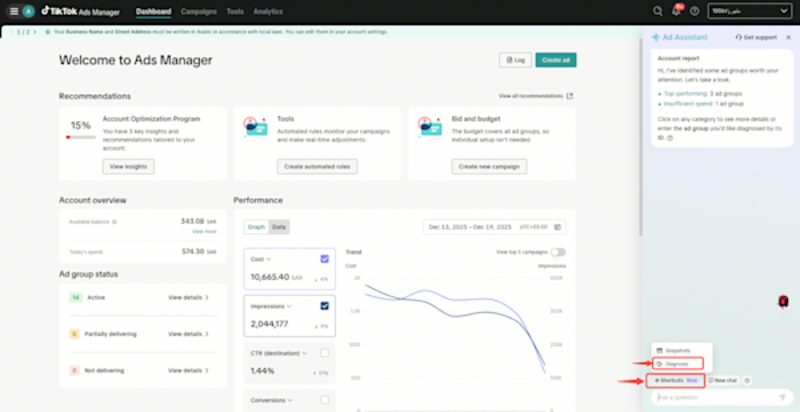
Click the Diagnosis plugin in Ad Assistant to review ad group performance insights.
2. Direct chat query
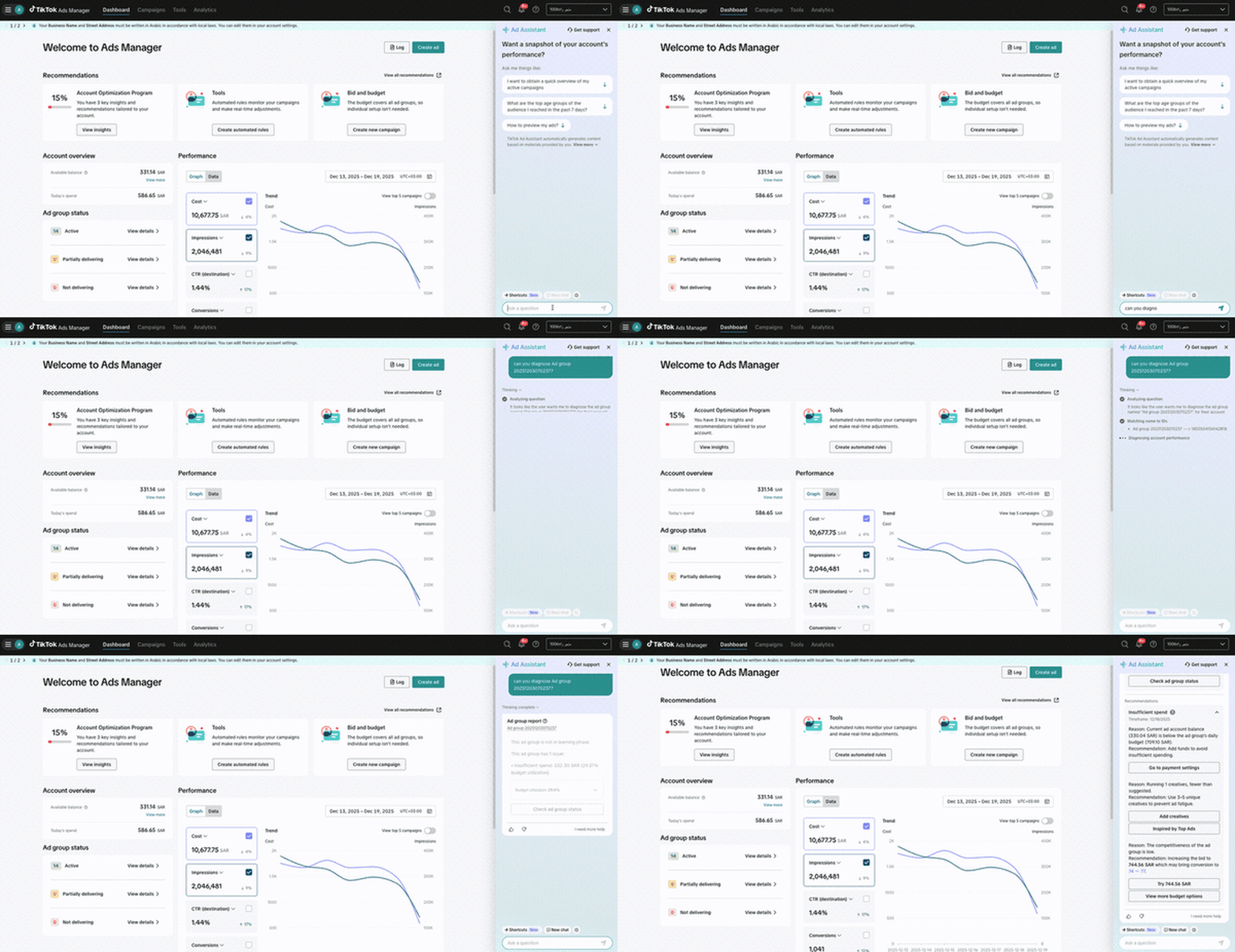
Enter performance-related questions such as:
"Why is spending decreasing?"
"Why is CPA increasing?"
Diagnosis will automatically run if relevant.
3. Proactive notifications
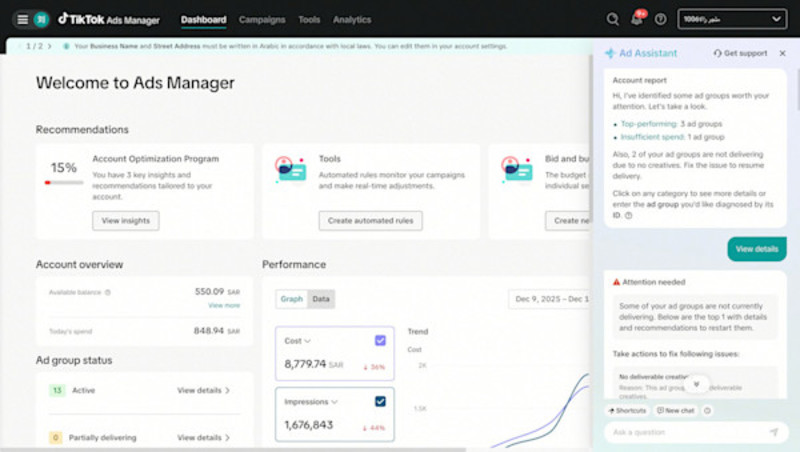
Diagnosis may be triggered automatically in Ad Assistant when the system detects meaningful deviations, delivery constraints, or notable performance patterns.
Diagnosis result format
When Diagnosis is triggered, the system presents a structured result that summarizes both performance conditions and potential next steps. A diagnosis result may include:
Ad group details: Name, ID, and the timeframe analyzed
Visual indicators: Performance visualizations, when available
Detected condition: The category identified by the system (for example, delivery constraints, spend changes, efficiency signals, or strong performance patterns)
Targeted recommendations: Suggested actions based on the detected condition, which may include resolving issues or exploring optimization or scaling opportunities
Action link: A direct link to the relevant edit or review page in TikTok Ads Manager
This format allows you to quickly understand what the system observed and take follow-up actions within your existing workflow.
