Settings
Before getting started: The following features are currently only available for managed agency clients. If you are a managed agency, reach out directly to your dedicated representative to receive a registration link to create a Business Center. If you are not a managed agency, refer to the Business Center articles.
If you've created a Business Center for your agency, you will be able to edit the following settings:
Personal user information
Go to your Business Center.
Click "Business Settings".
Click on "Edit" under My Information
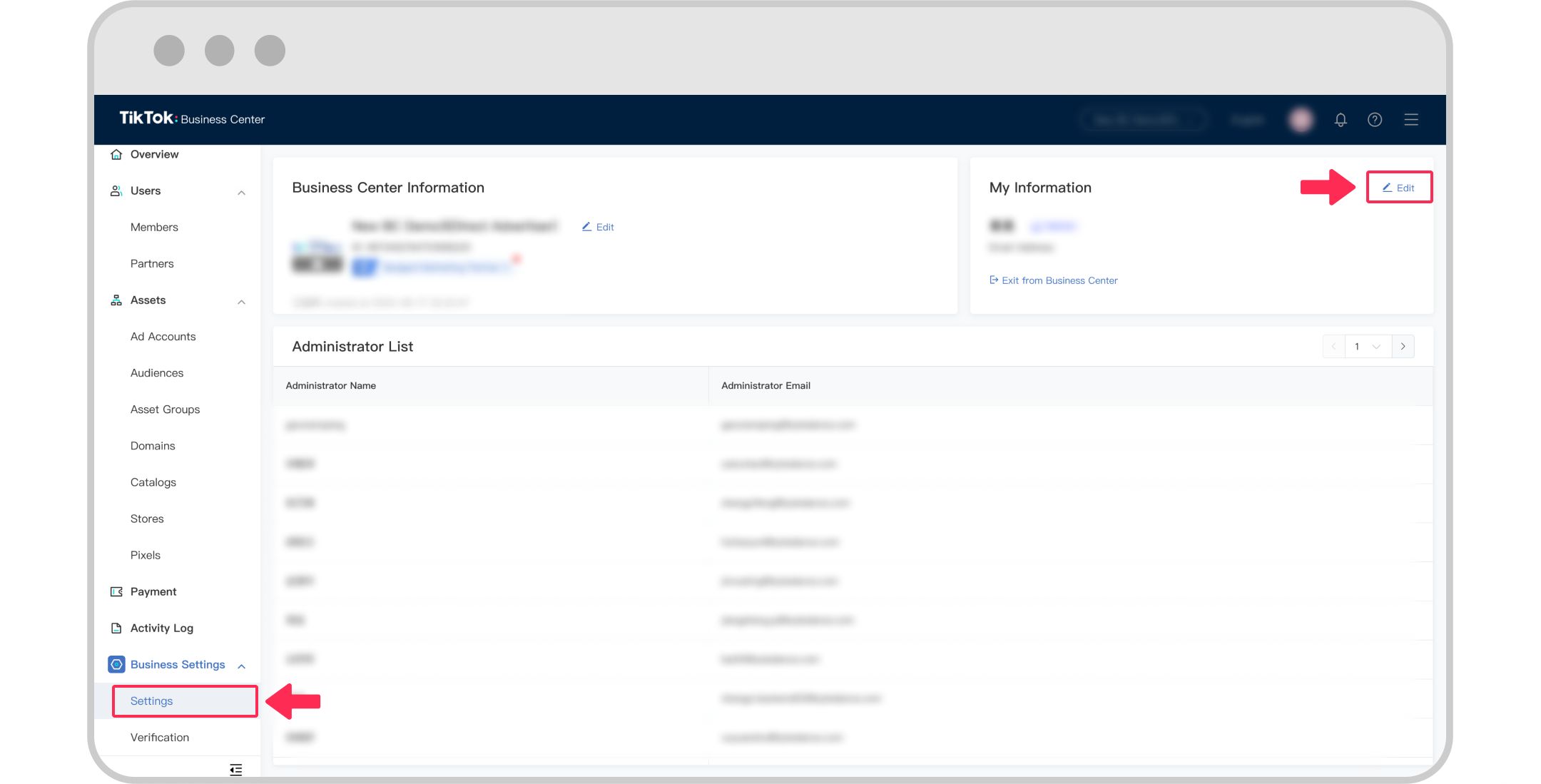
4. Change your email, phone number, or password in the User Settings of TikTok For Business.

Note: Click here to learn more about the user settings.
Name or profile image
Note: Only the Admin can have the access to edit the business settings.
Go to Business Center.
Click on Business Settings.
To change the name:
Click on Edit under Business Center Information.
Enter the name.
Click Save.
To change profile image:
Click on the avatar under Business Center Information.
Upload a new image from your computer.
Adjust image size.
Click Submit.

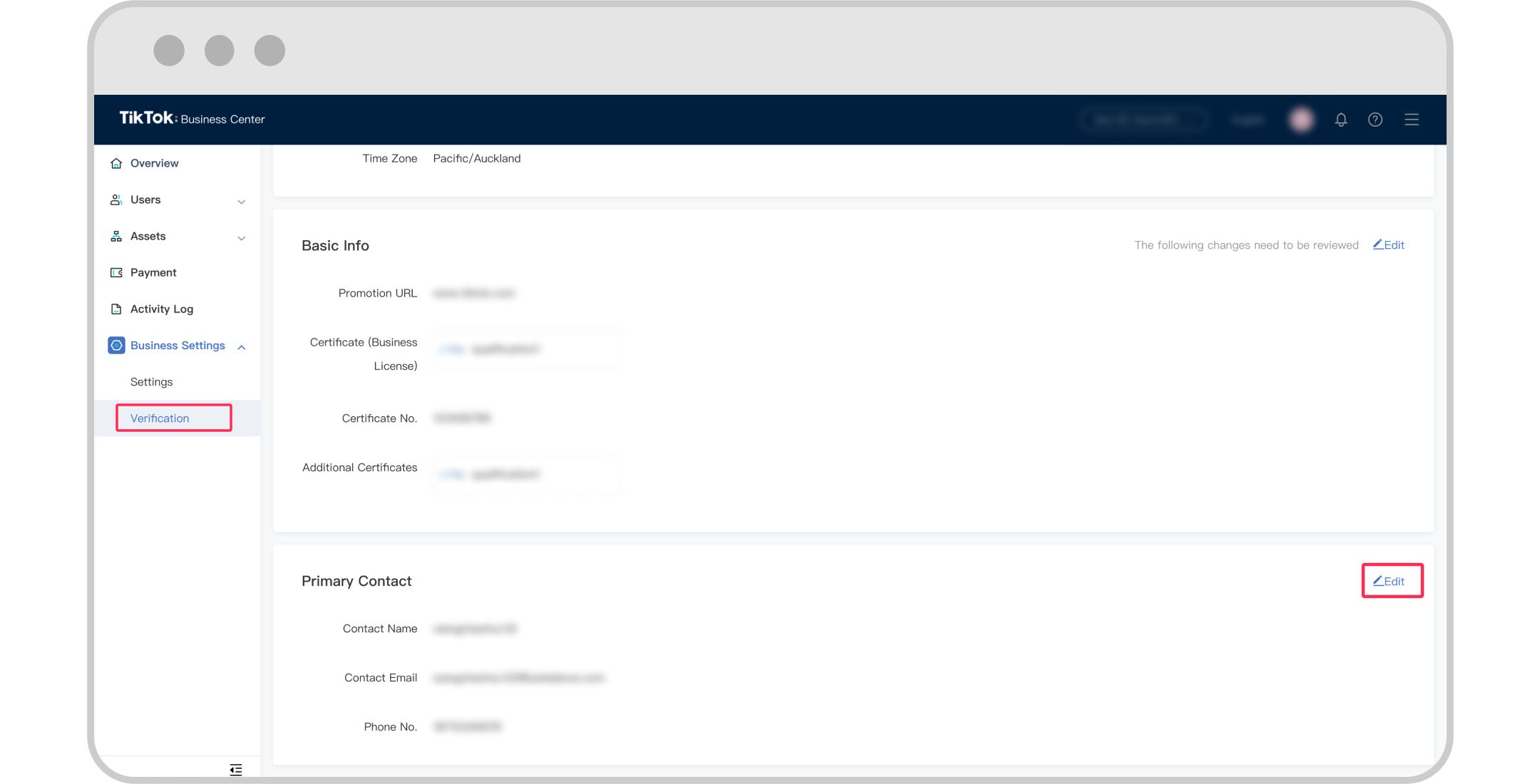
Verification Status
Check your Business Verification Status and Business Info

2. Check and edit your Basic Info

3. Check and edit your primary contact