Troubleshoot GMV Pay
If you or someone on your account can't choose GMV Pay as their payment method, you might need to update permissions. You'll need Finance Specialist permissions in Seller Center and Finance Manager permissions in Business Center in order to use GMV Pay as a payment method.
Grant Finance Specialist permission in Seller Center
To grant someone Finance Specialist permission in Seller Center:
Go to Seller Center. Log in as the owner or admin of the shop.
Find the user you want to grant Finance Specialist permission to. The user does not need to be an admin of the Seller Center.
Click the Role dropdown and choose Finance Specialist.
Click Submit.
Go to Ads Manager. Log in as the user you granted Finance Specialist permission to.
Grant Finance Manager permission in Business Center
To grant Finance Manager permission in Business Center:
Go to the Business Center. Log in as an admin of the Business Center.
Find Users in the left-hand menu and click Members.
Click the member of your Business Center you want to grant Finance Manager permission to.
Choose Finance Manager and click Confirm. The member does not need to be an admin of the Business Center.
Troubleshoot insufficient balance amount
If you see the message Insufficient balance, you'll need to make sure your available funds in your Seller Center Available to withdraw balance exceed the amount you want to add to your account.

If the amount is insufficient, try updating your auto-withdrawal settings to a longer duration.
Troubleshoot mismatched account info between ad account and Seller Center account
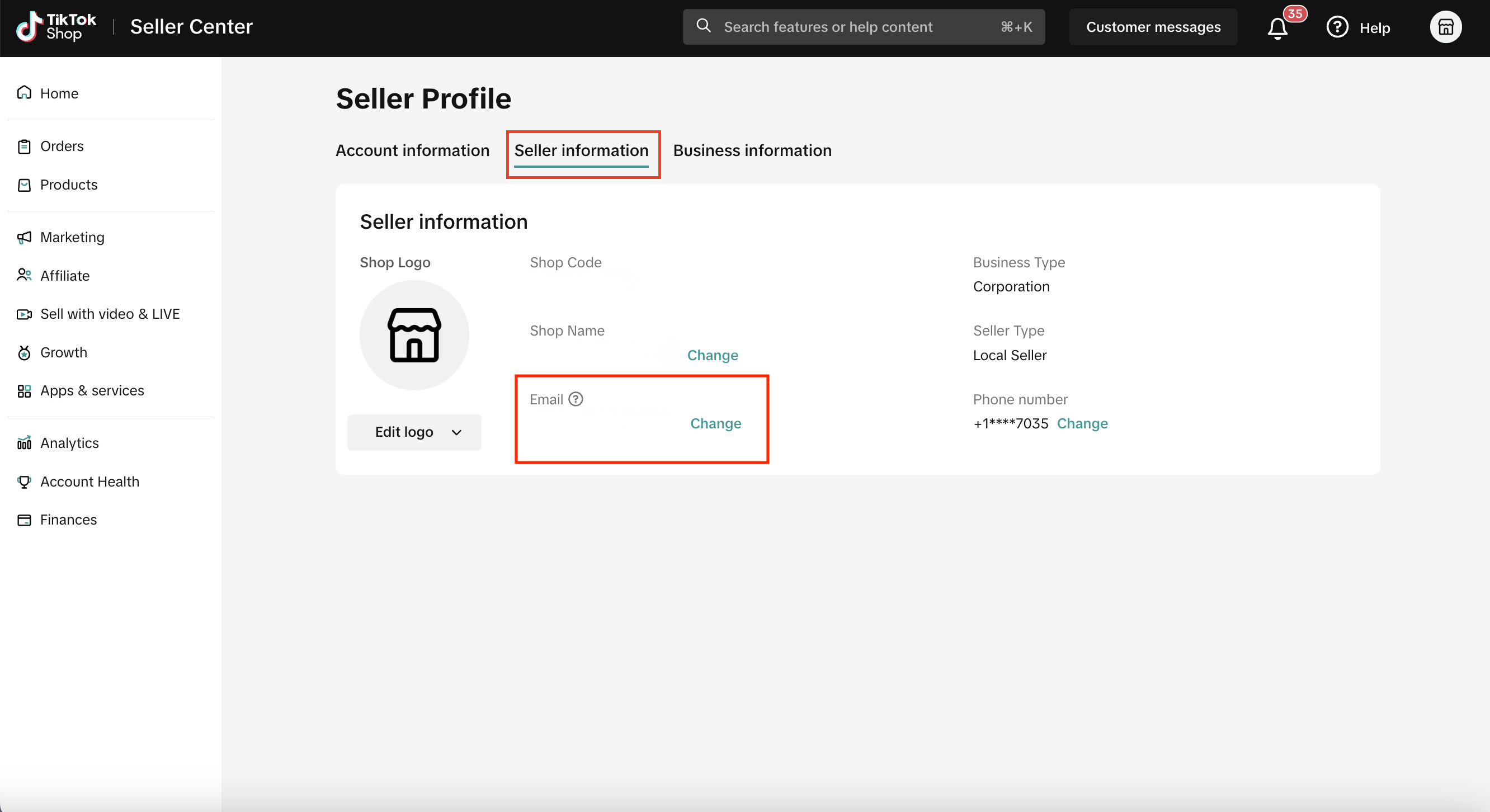
If you see the message Your ad account information doesn't match your Seller Center account information. update your advertiser account email address such that it is the same as your Seller Center contact info (visit My Account-Seller Profile-Seller information), you'll need to check that the email in your Seller Center account matches your email in TikTok Ads Manager.
Log in to Seller Center.
Click the icon in the top right corner, then select My Account.
Select My Profile.
Select the Seller information tab to view the email associated with your Seller Center account.