Attribution Analytics - How to view the Overview page
The Attribution Analytics Overview page helps you understand how TikTok contributes to conversions that happen after people interact with your ads, even if the final purchase or action occurs through another channel, like search or direct.
This metric highlights TikTok’s role earlier in the customer journey, giving you a more complete view of your campaign’s impact beyond last-click attribution.
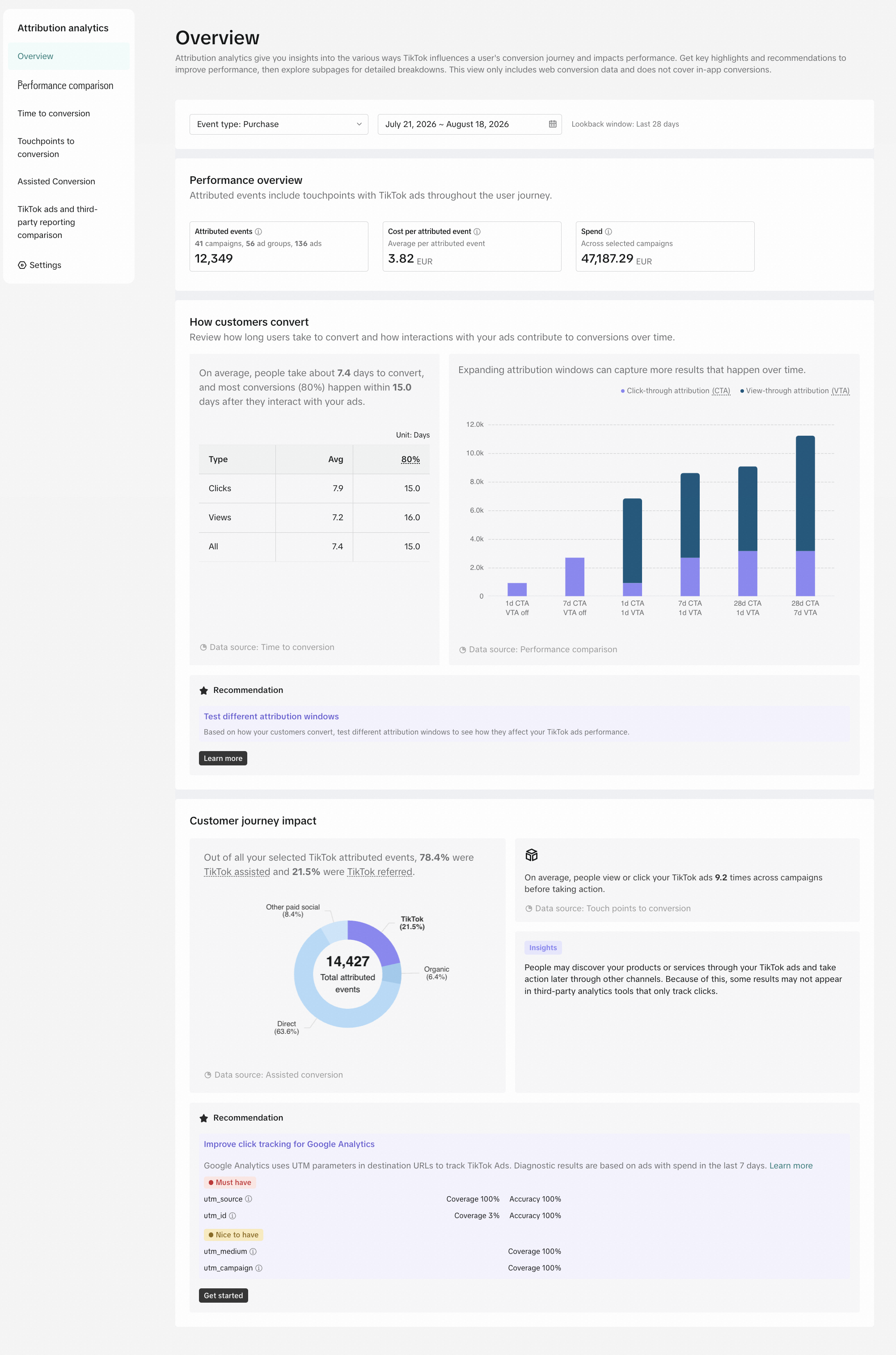
The Overview page is split into three sections:
Core Performance Metrics: Get a high-level view of your key performance indicators, including Cost Per Acquisition (CPA) and Total Spend, for all purchases attributed to your TikTok campaigns. This helps you quickly assess the overall efficiency of your ad spend.
How Customers Convert: Capture TikTok's influence beyond last click to help you optimize your attribution windows to capture more conversions and improve reporting accuracy. The page breaks down conversions into:
Average Conversion Time to Conversion: Understand the average time it takes for users to convert after interacting (Click and/or View) with your TikTok ads.
Performance Comparison: Compare click through and view through attribution reporting for various attribution windows
Customer Journey: Move beyond last-click and gain insights on your customer's non-linear path to purchase and how TikTok fits into that through Click and View-Through actions
TikTok Referred : Users who converted immediately after clicking/viewing a TikTok ad (TikTok was the final touchpoint).
TikTok Assisted : Users who viewed/clicked a TikTok ad earlier in their journey but converted through another channel .
How to view the Overview page
Log in to TikTok Ads Manager.
Click Analytics.
Click Attribution Analytics.
The default view will be the Overview page.