
How to add keywords to the Keyword Planner in TikTok Ads Manager
The Search Ads Campaign Keyword Planner tool allows you to plan for keywords strategy before committing your budget. You can add keywords manually or in bulk. Follow the steps to learn how to add keywords to the Keyword Planner in TikTok Ads Manager.
Note: The Keyword Planner tool is available for Search Ads Campaigns targeting the U.S.
Before you begin
Ensure you can access the Keyword Planner tool in TikTok Ads Manager.
How to add your keywords manually
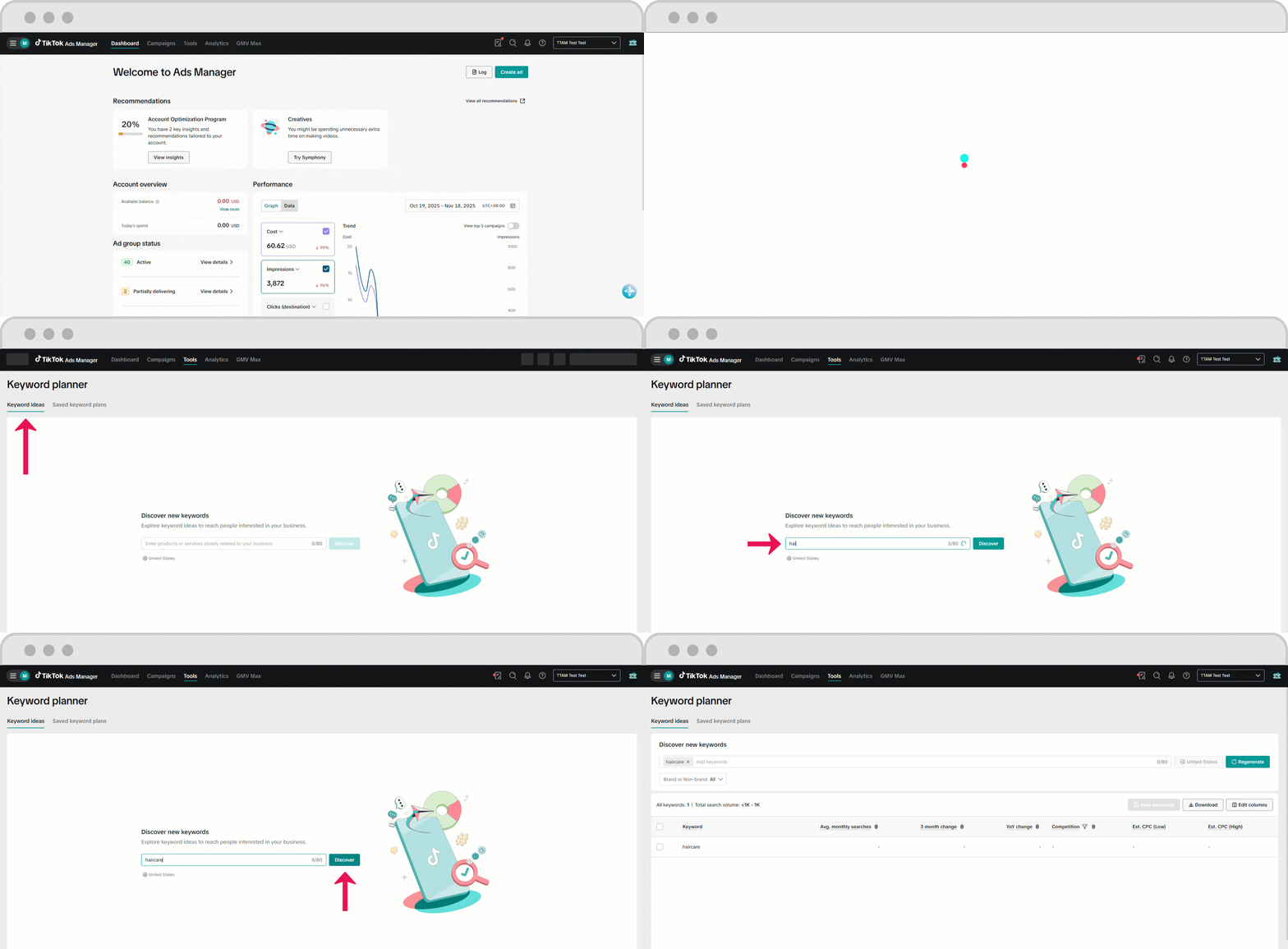
To add your keywords manually to the Keyword Planner in TikTok Ads Manager:
Select the Keyword ideas tab.
Enter your keyword into the text field.
Click Discover.
Full list of keywords related to what you entered displays.
Check the box beside the displayed keywords to add.
Click Regenerate to refresh the list.
Click Save keywords.
Select Save as a plan or Add to existing plan.
Enter the title of the new plan if Save as a plan is selected.
Click Save.
How to add your keywords in bulk
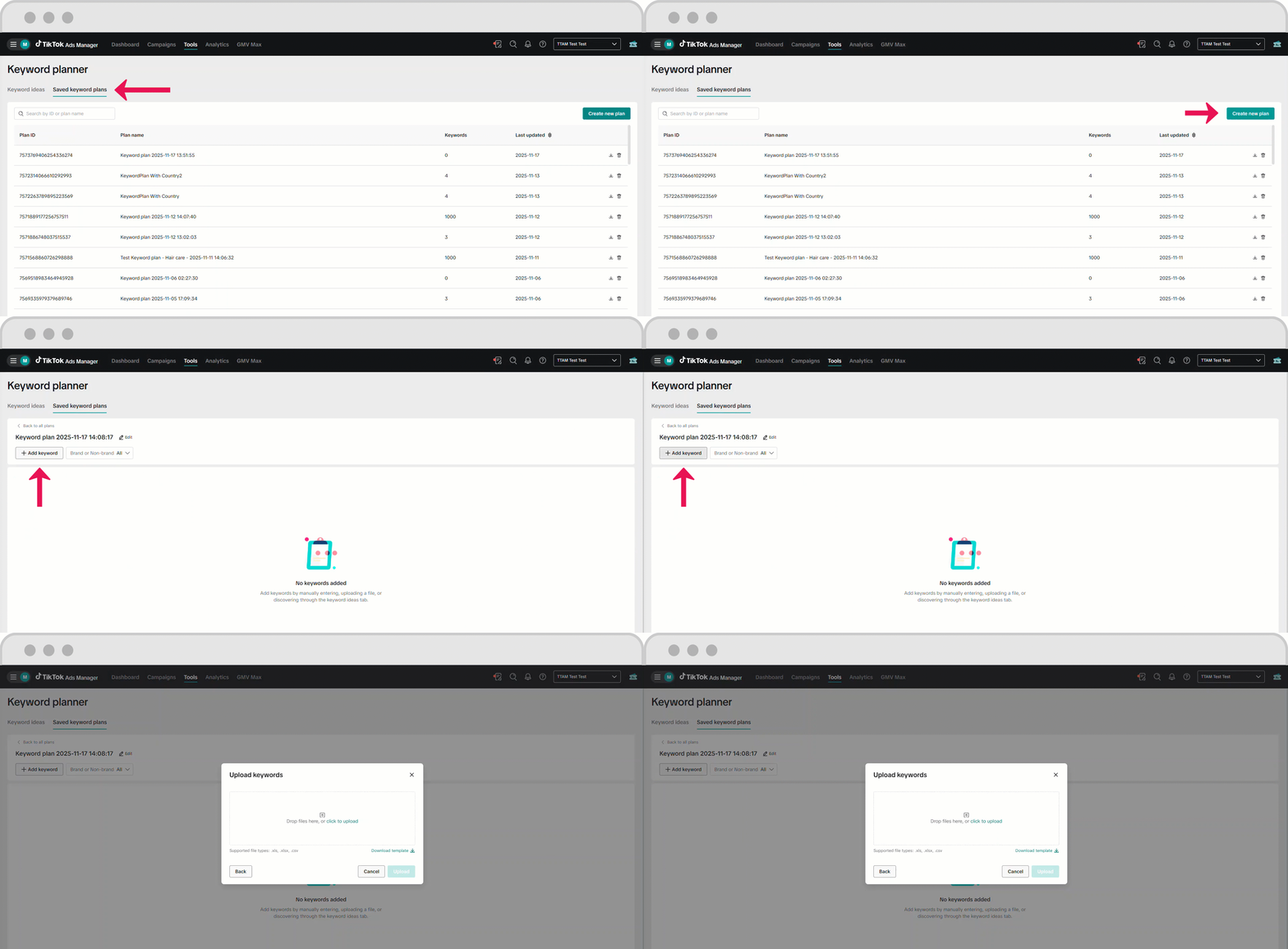
To add keywords in bulk to the Keyword Planner tool in TikTok Ads Manager:
Select the Saved Keywords plans tab.
Click Create new plan.
Enter the plan name, then click Confirm.
Full list of keywords related to what you entered displays.
Click Add keywords.
Click Upload.
Drag and drop the keyword file into the Drop files here field or select click to upload to browse for the correct file.
If not sure what type of file to upload, click Download template to download a template to modify.
Click Upload.
