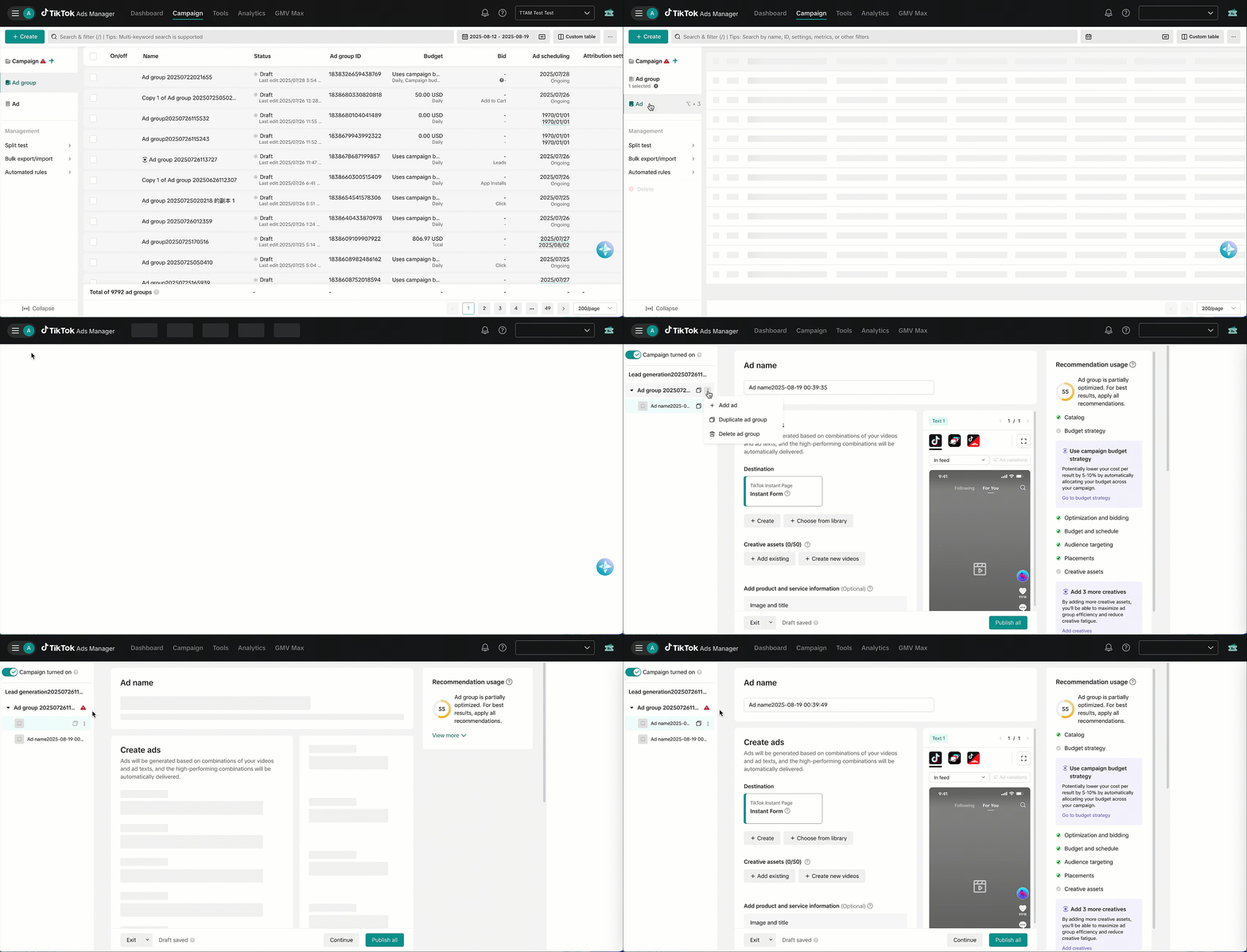
How to create ads for Smart+ campaigns
Note: This feature may not be available to you yet. Reach out to your TikTok account manager or contact customer support for more information.
Ads, which function like a group of assets, are a flexible way to structure your Smart+ campaigns, giving you modular control over creatives, product sets, copy, and destinations, all within a single campaign.
How to create ads for new Smart+ campaigns
From the campaign creation flow, select the three dots next to your ad group.
Click + Add ad to create a new ad.
Repeat step 2 to create more ads.
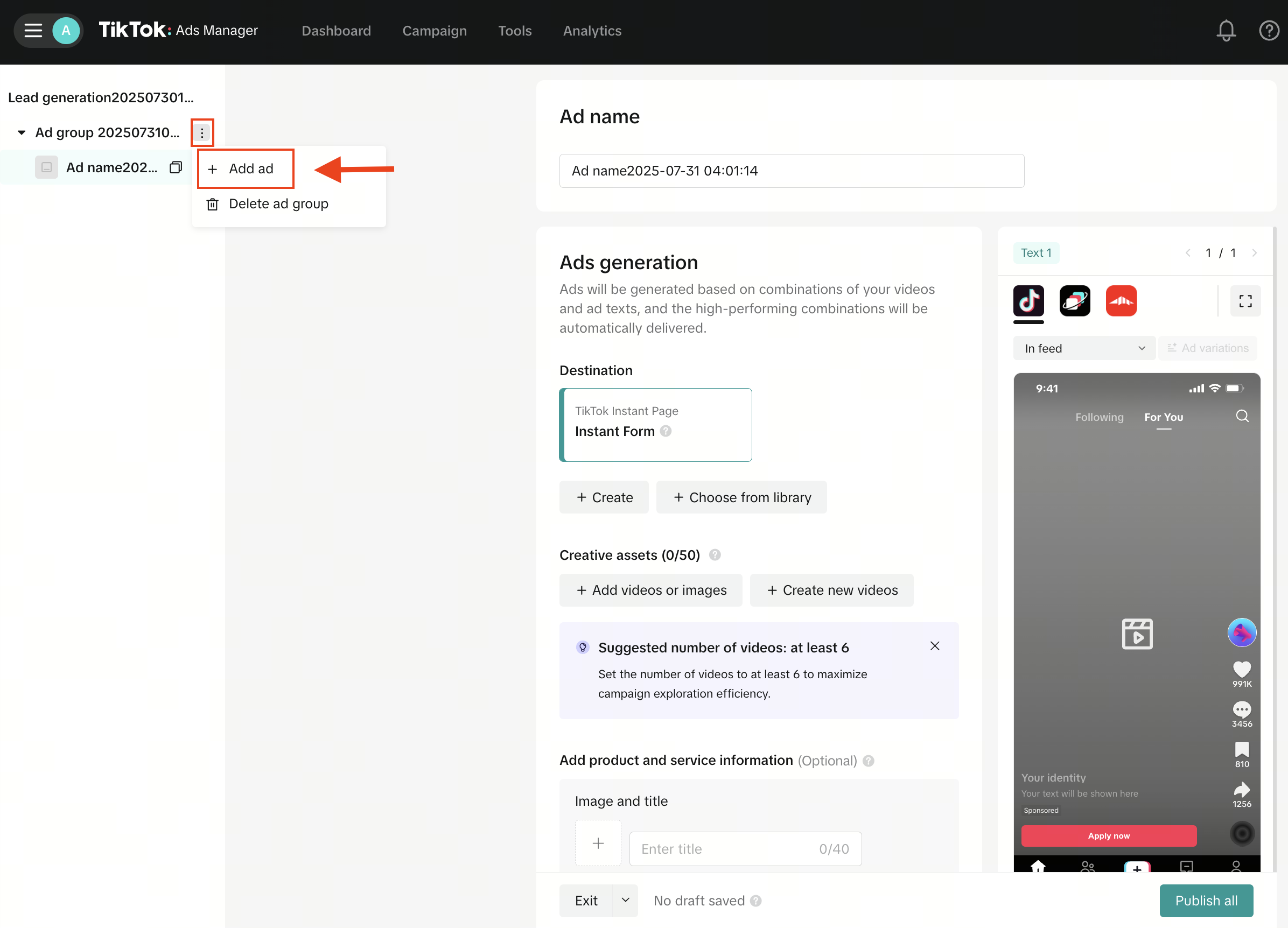
How to create ads for existing Smart+ campaigns
Log in to TikTok Ads Manager.
Select the Campaigns tab.
Select the checkbox next to the ad group and the ads within.
Click + Create. This will create a new ad.
If you want to create more ads, select the three dots next to your ad group name, then choose + Add ad.