
How to set up automated chat for TikTok Direct Messaging Ads
Note: This feature may not be available to you yet. Reach out to your TikTok account manager or contact customer support for more information.
Automated chat is a feature for TikTok Messaging Ads that helps businesses engage users and capture more qualified leads through structured, scripted conversations.
Before you begin
Make sure your TikTok account is a Business Account and linked to TikTok Ads Manager.
How to set up Automated Chat
Log in to TikTok Ads Manager.
Select Create ad.
Select Lead generation as your campaign objective, then click Continue.
Choose TikTok direct message as your optimization location.
Fill in your campaign settings as needed. Navigate to the Welcome message section.
Choose + Create to create a new welcome message template.
Choose + Choose from library to select a pre-existing template from your library.
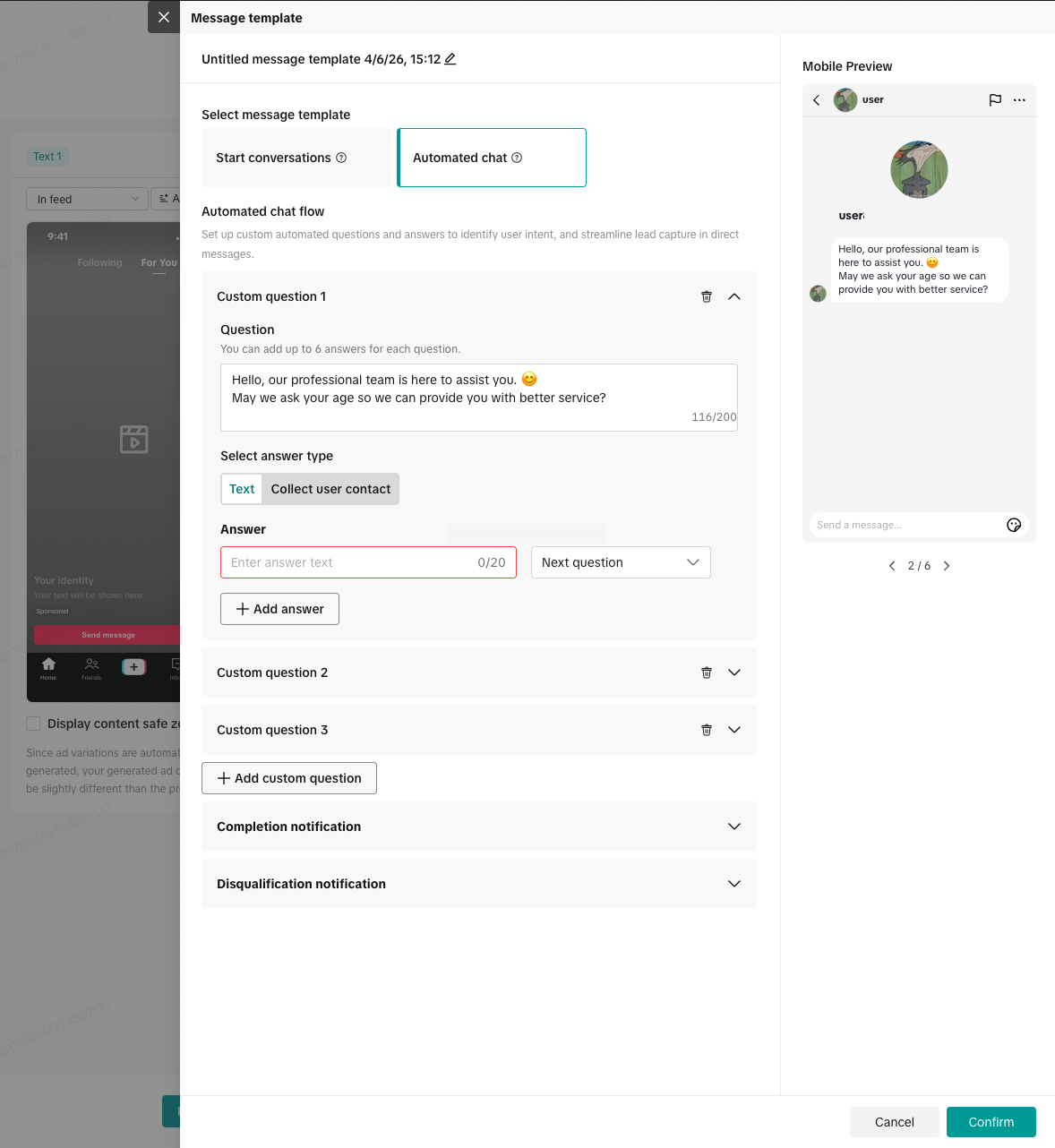
When you choose Leads goal as the goal of the campaign, the default will be to set up the automated chat flow.
You can select different types of responses, such as collecting user contacts.

Please note: The demo image is for reference only. UI may vary from region to region.
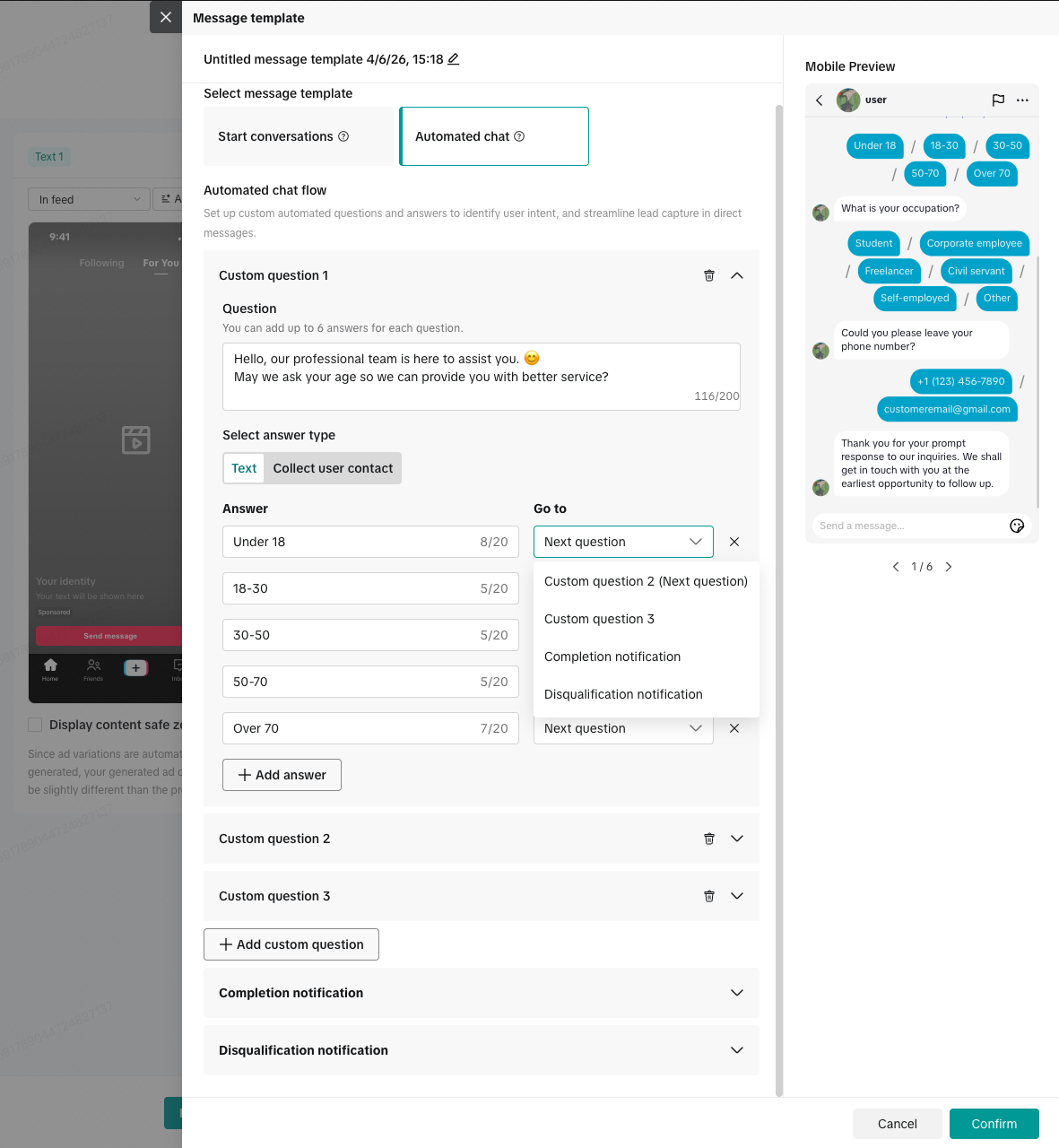
You can input custom answers and decide where each response leads to.
Please note: The demo image is for reference only. UI may vary from region to region.
Click Save when you are finished editing the automated chat flow settings.
Best practices
Begin your chat with a warm welcome message to increase response rates.
Keep each question short and easy to answer.
Always end the flow by asking for contact details for lead capture.
