Appeal rejected ad with One Click Appeal for Other Ad Types
You can find the Appeal button in the rejected Ad Group or Ad Review (including Industry Rejection).
Note: If your account is suspended, you cannot submit appeals until the suspension is lifted. Please only file one appeal for each incident. Filing multiple appeals in a short period of time for the same issue will lead to delays in processing.
Step 1: Access One Click Appeal
There are two ways to access One Click Appeal:
from your ad group
from your ad list.
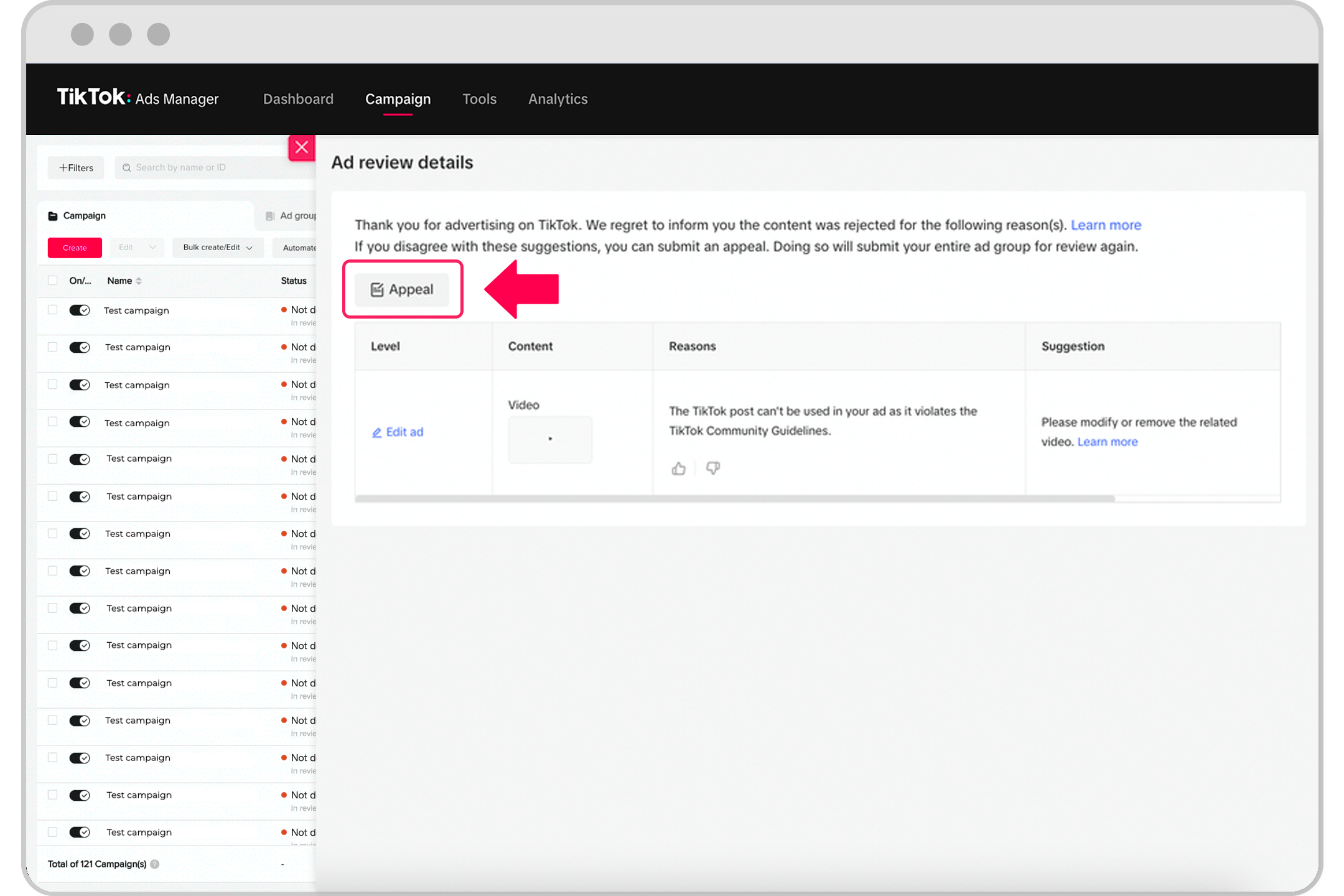
Here is an example of an appeal button for your rejected ad group or ad List.
Ad Group
Option 1
Start at your TikTok Ads Manager dashboard.
Navigate to the Campaign tab.
Locate your Ad Group list.
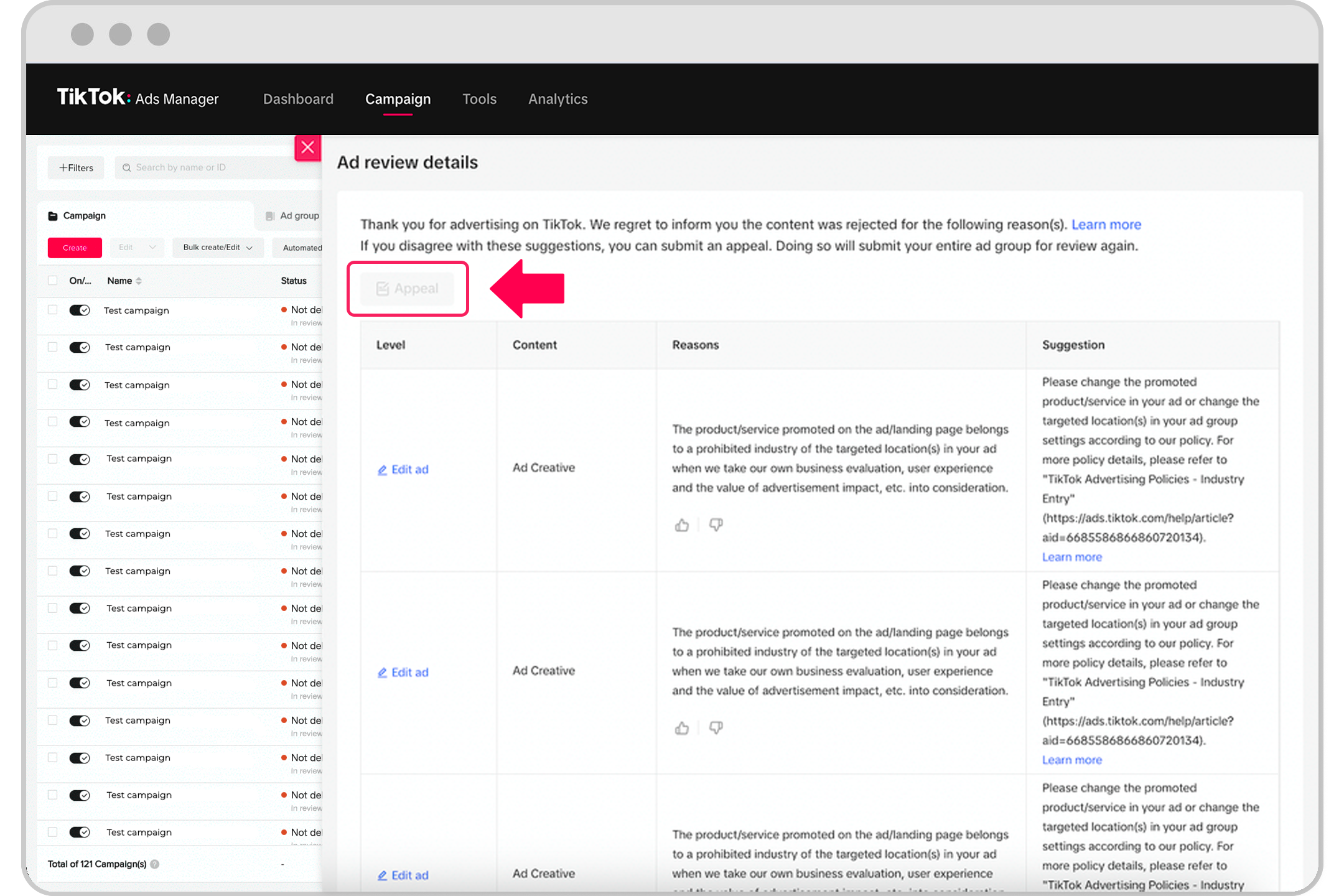
Select the Disapproved icon of a rejected ad group, then select View More.
The Appeal button will appear at the top of the Suggestions module; select Appeal.
Option 2
Start at your TikTok Ads Manager dashboard.
Navigate to the Campaign tab.
Locate your Ad Group list.
Select the Edit icon of a rejected ad group.
The Appeal button will appear at the bottom of the Issue with Ad Group section; select Appeal.
Ad Level
Option 1
Start at your TikTok Ads Manager dashboard.
Navigate to the Campaign tab.
Locate your Ad list.
Select the Disapproved icon on a rejected ad, then select View More.
The Appeal button will appear at the top of the Suggestions module; select Appeal.
Option 2
Start at your TikTok Ads Manager dashboard.
Navigate to the Campaign tab.
Locate your Ad list.
Select the Edit icon of a rejected Ad.
The Appeal button will appear at the bottom of the Issue with Ad section; select Appeal.
Note: The entire ad group will be re-reviewed whether you made the appeal at the ad group (including industry rejection) or ad level.
Step 2: Provide the appeal details
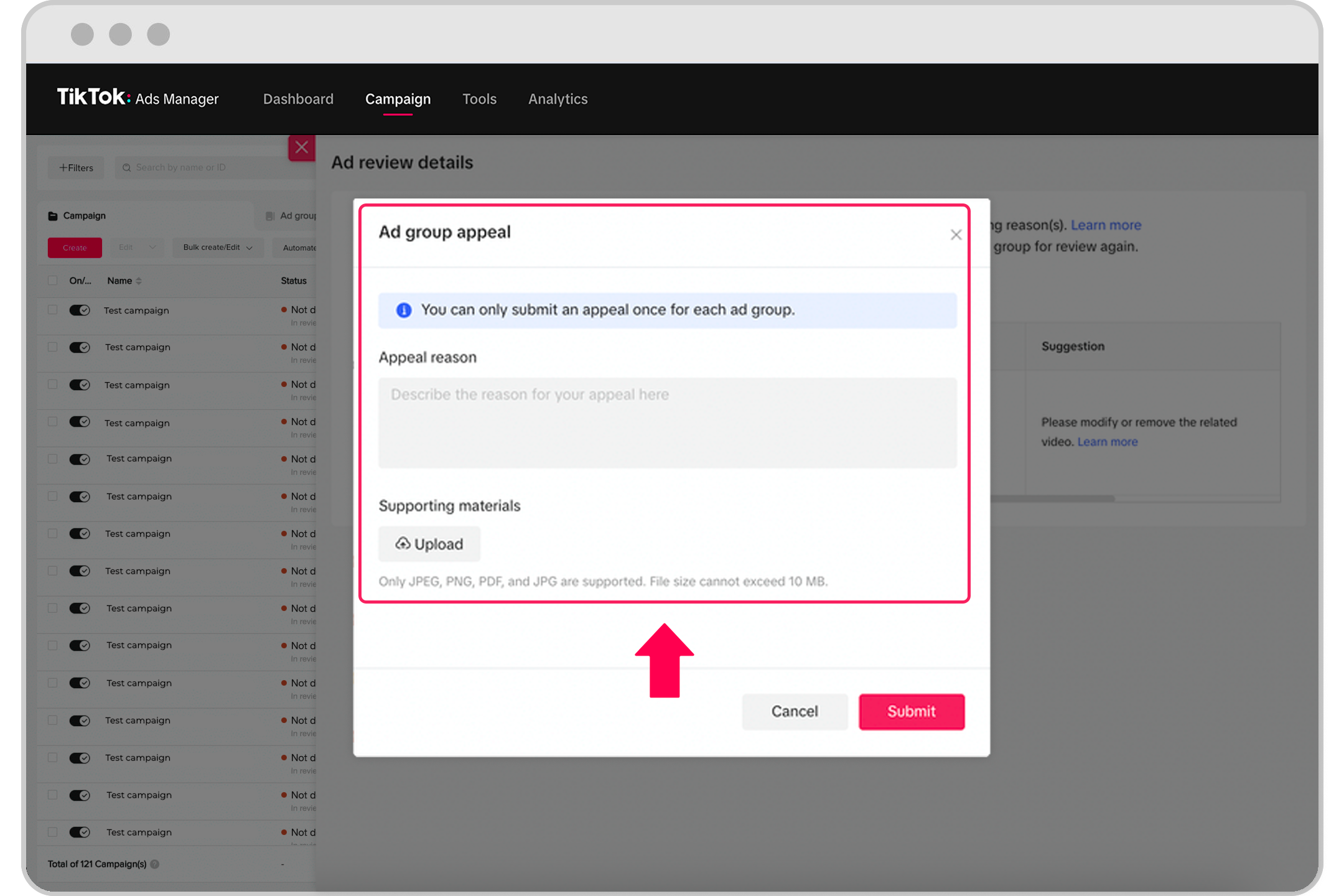
After selecting the Appeal button, a window will appear for you to provide an Appeal Reason and to upload Supporting Materials.
Review the rejection reason provided in the notification.
Enter an Appeal Reason for your ad to be approved.
Appeal Reason field: This field is mandatory and accepts up to 2,000 characters. You may submit the appeal in any language you prefer, but the replies will be in English.
Supporting Materials field: This field is optional. You may upload materials that you believe will help the team better understand the case. You may upload up to 5 items in PNG, JPG, or PDF formats, 10 MB each.
Select Submit to confirm and send.
For more details on our TikTok ad policies, refer to Industry Entry and Ad Creatives and Landing Page: Ad Format and Functionality.
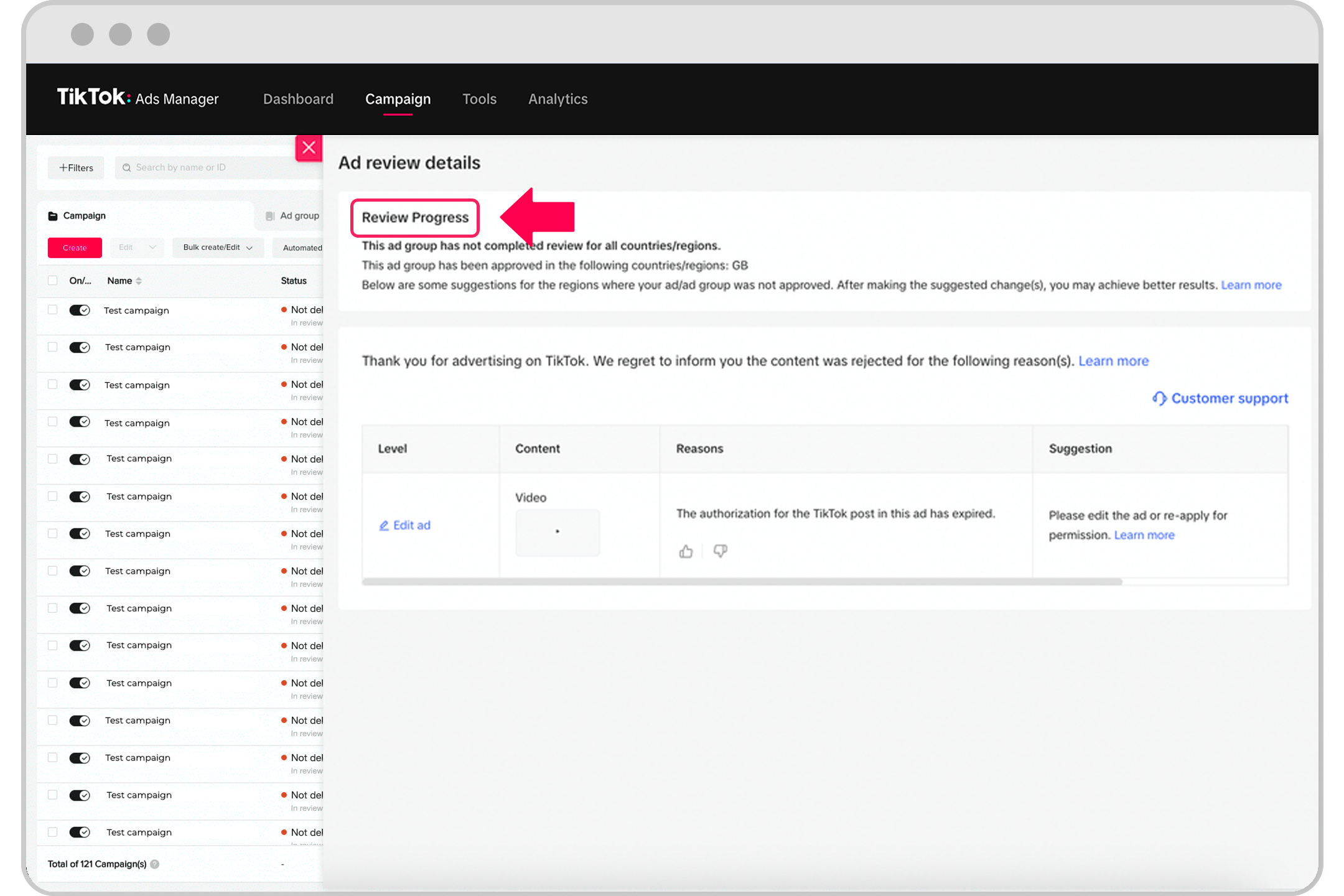
Step 3: Wait for the results
Within 24 hours, you should receive a response (subject to change).
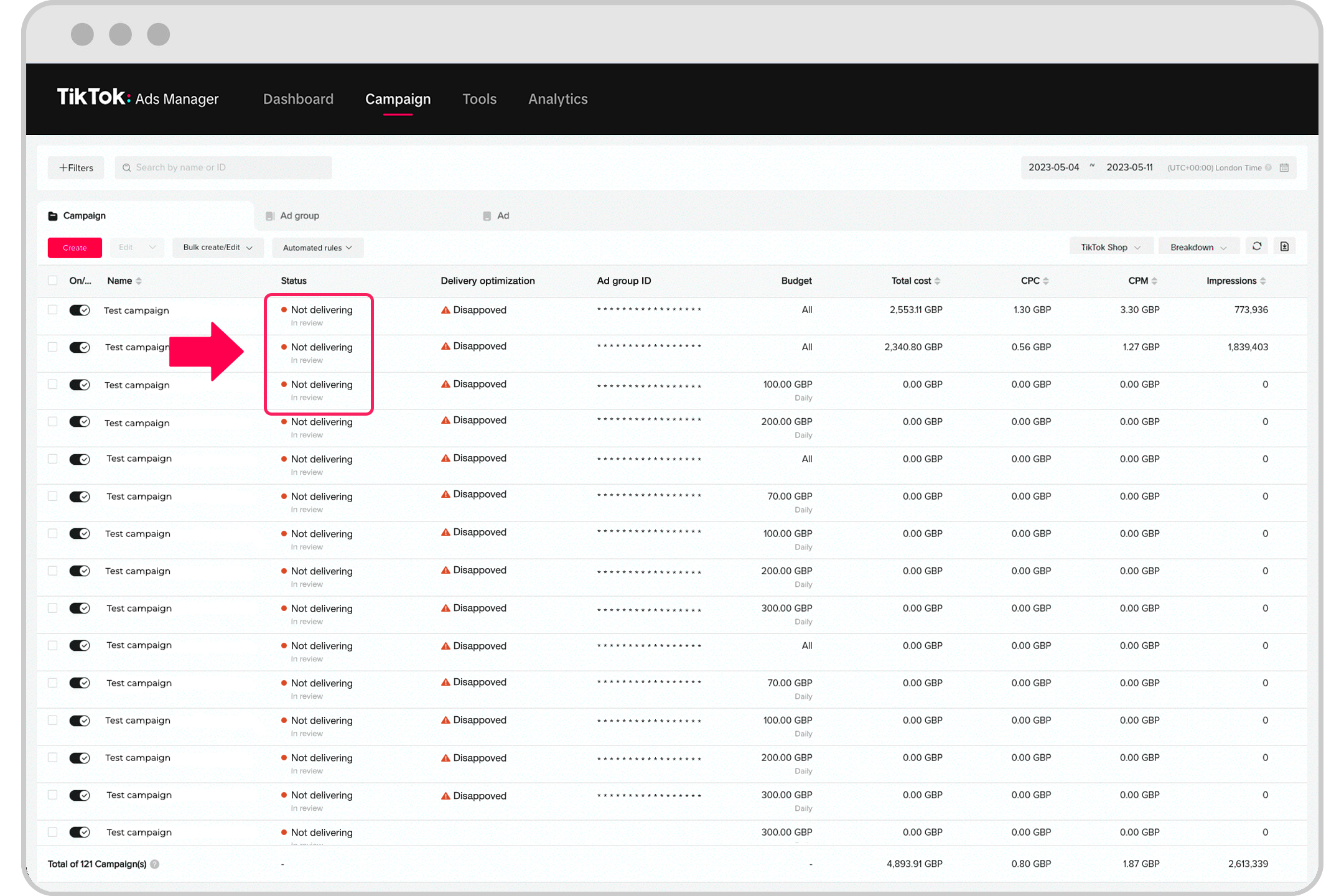
After an appeal is submitted, the Status of the Ad Group or Ad page will still display "Not Delivering-Not Approved."

Under the Suggestions module, you will see "This ad group is under review/ review progress."
You cannot edit an Ad Group or Ad after you have submitted a One Click Appeal.
Step 4: Check the appeal results
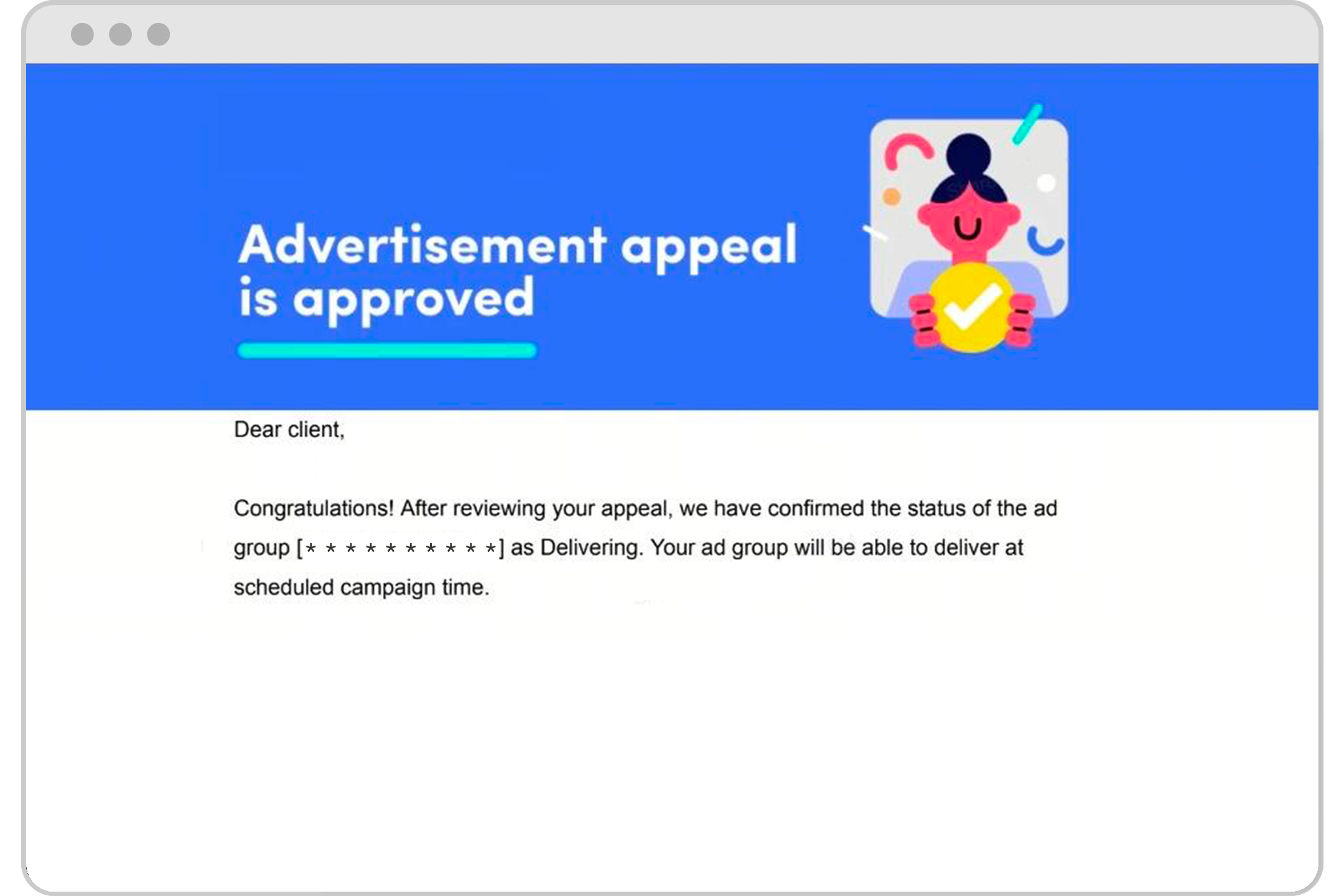
If the appeal is successful
Ads will start running and the Delivery Status will change to Active.
You will receive an email notification about the results of the appeal.
If the appeal is not successful
Navigate to the Campaign tab.
Locate your Ad Group list.
Select the Disapproved icon of a rejected ad group, then select View More.
Select Show Result; the Suggestions module will display the appeal result(s).
If you do not agree with the appeal result, you can submit Feedback through the Suggestions module.
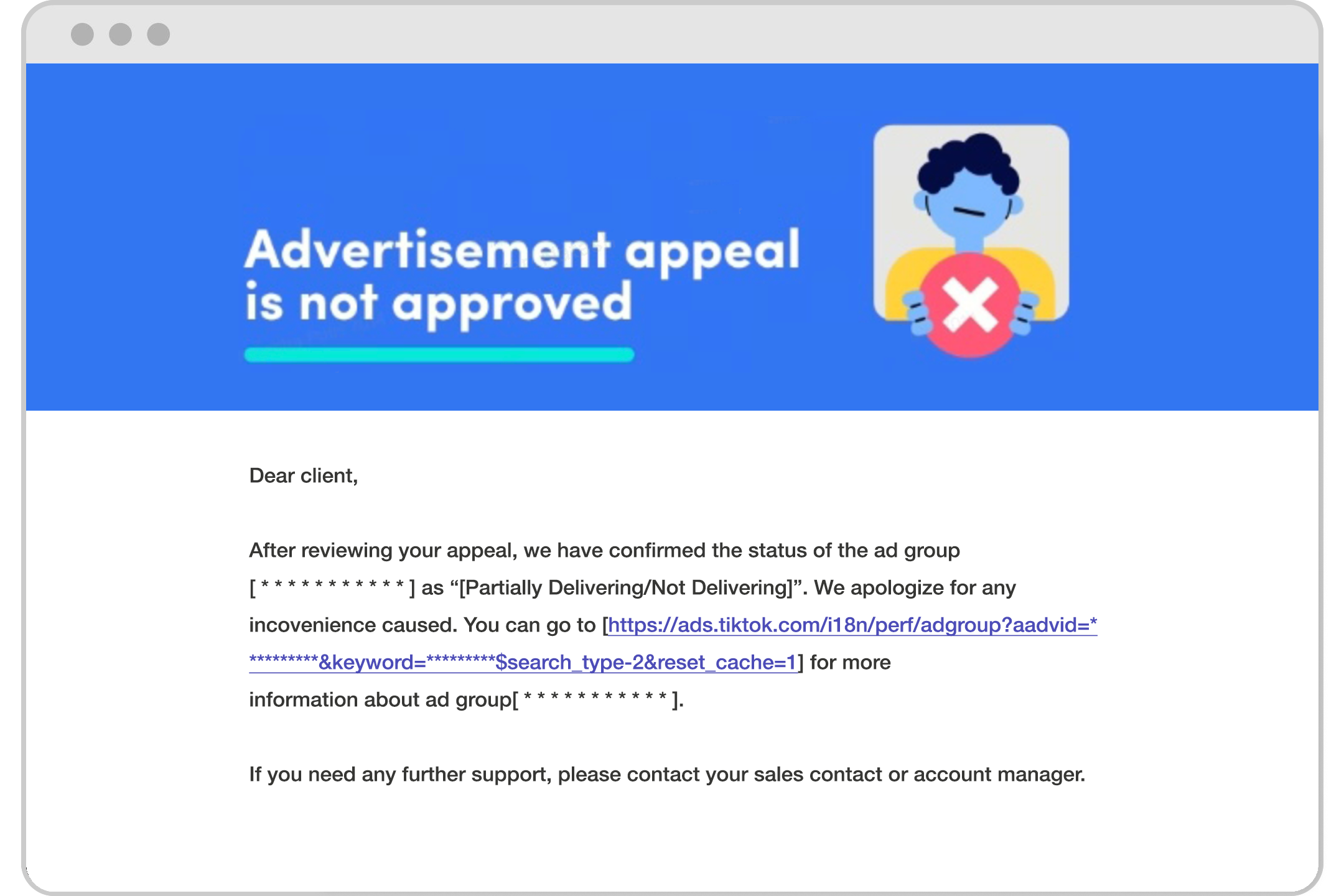
You will receive an email notifying you that the appeal was unsuccessful with a link to find more information about the ad group.
Step 5: Next steps to take if the appeal fails
If your appeal is not successful:
Check the rejection reasons, Suggestions page, and our TikTok Advertising Policies.
If you still believe that the disapproval is incorrect:
For Self-Serve Accounts: Submit a ticket. Locate the appeal disapproval message, then select Contact Customer Service.
For Managed Accounts: Reach out to your TikTok Sales Representative.
Troubleshooting
Appeal button is not available
If the One Click Appeal has already been used for an ad group or any ad under the ad group, the Appeal button will no longer be available.