
About Product Information and Ad Format Variations
The product information feature allows you to automatically generate different versions of your ads on TikTok. Once you complete the product information module, our system will automatically create multiple ad variations, helping to optimize performance and tailor the ad experience to different audiences.
Product information is dynamically generated based on original materials you provide, including your landing page URL, product catalog, app store information, and/or the details entered during creative upload. These generated suggestions will be presented to you for review and confirmation prior to activation.
Note: If you do not see this feature in TikTok Ads Manager, then it is not available to you at this time. Reach out to your TikTok representative to learn more.
Supported campaign settings
Buying type: Auction Ads, Smart+ & Manual
Ad objectives: App Promotion (App Install, App Retargeting, App Pre-registration, App Post Promotion, TikTok Minis), Lead Generation (Non-Catalog 1P&3P, Non-Catalog Message Ads, Catalog Ads), Sales (Website, App, Website & App) Note: For Sales, TikTok shop or T&E catalog is not supported yet.
Ad format: Spark Ads and Non-Spark Ads
Benefits
Automatic Generation: With our automated system, you only need to fill in the product information module. We will automatically generate multiple ad variations, ensuring that your campaign benefits from a variety of creative options.
Creative Customization: Once the product information is provided, our system will generate different ad versions and ad components , such as informative CTA.
Features
Enhanced prefill functionality streamlines the input process. You can optimize and expand the generation supply by integrating data sources such as 3P landing page, catalog, or Pixel.
Ad variation information and preview shows draft components clearly for you to choose from, and shows the relevant benefits with supporting data in the View ad variation module.
You can increase product main image candidates from 1 to 10 and selling points candidates from 10 to 15.
How to create Ad Variations
To create ad variations in a new ad campaign:
Go to TikTok Ads Manager.
Create a new campaign.
Select your Buying Type and Advertising Objective.
Set up your Ad Group, and continue to Ad Creation.
Enable the Identity toggle to create a Spark Ad, or turn it off to create a Non-Spark Ad (regular In-Feed ad).
Select a single video and/or image as the Ad Format.
Add your video and link.
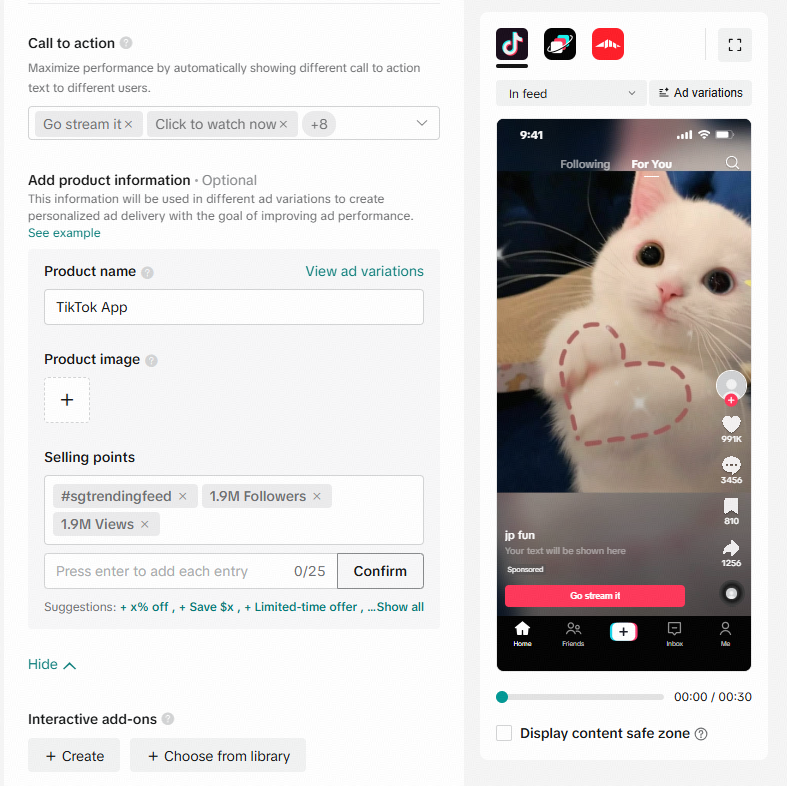
Add Product Information.

If none of the fields has content, automatic generation will occur based on URL, Pixel, and historic content to generate.
If some of the fields have content, you can click "update now" to re-generate content and replace the existing content.
To manually add content, click "clear all" and fill in each option:
Add product image: Recommended image size 800 x 800 pixels
Add product title: Maximum of 40 characters
Add selling points: Max of 10 selling points, 0-25 characters Note: Each of these fields is optional. The more detailed the information provided, the better the generated ad variations will perform.
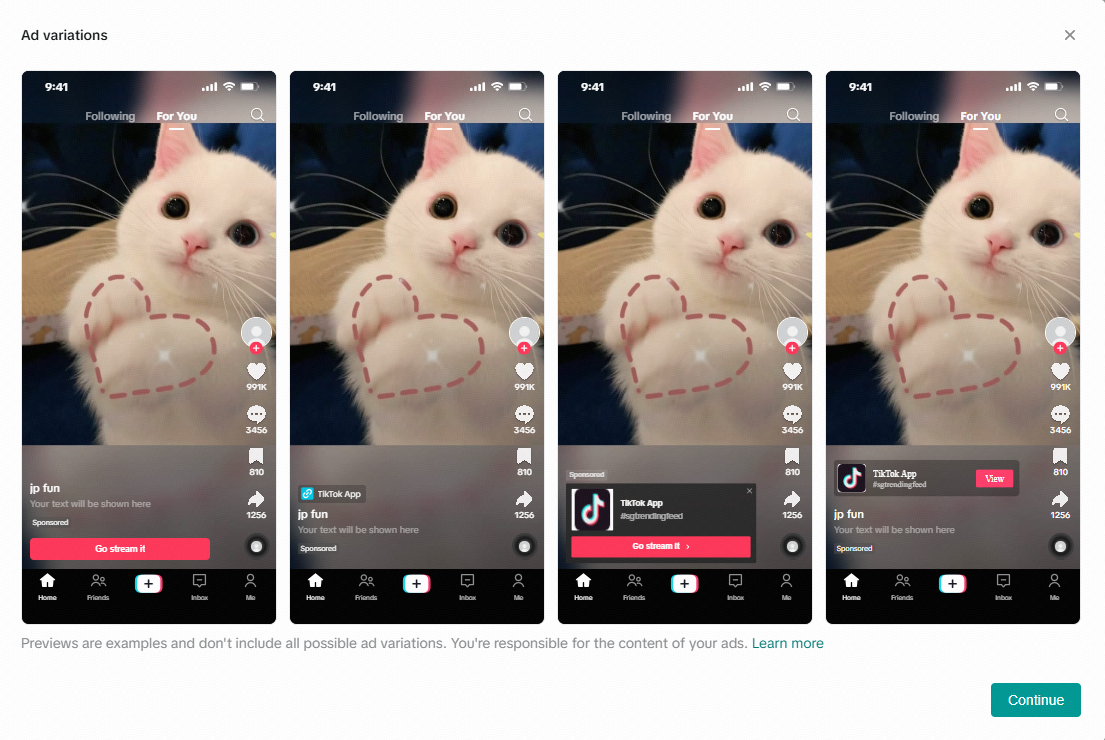
Click Ad Variation to see possible format variations:
Note: Please refer to your sales representative for a complete list of variations.
Product image + Product title + Selling points: CTA, Anchor, Info card, Product card
Product image + Product title: CTA, Anchor, Info card, Product card
Product image + Selling points: CTA, Info card, Product card
Product title + Selling points: CTA, Anchor
Product title: CTA, Anchor
Add CTA to complete your ad creative.
Click Publish.
Dynamic Optimization of Ad formats
We may dynamically optimize the display format of your ads based on performance data to help improve delivery and results. While you can preview dynamic content in TikTok Ads Manager, the preview experience may not reflect all possible formats. Real-time previews on the right-side panel are not available for al dynamic variations, and previews shown within ad variations may only display a subset of formats as the available format pool continues to expand. Scan previews display one randomly selected ad variation. We recommend regularly reviewing your selling points and ad content for accuracy, especially when you update information on third-party platforms or your website.
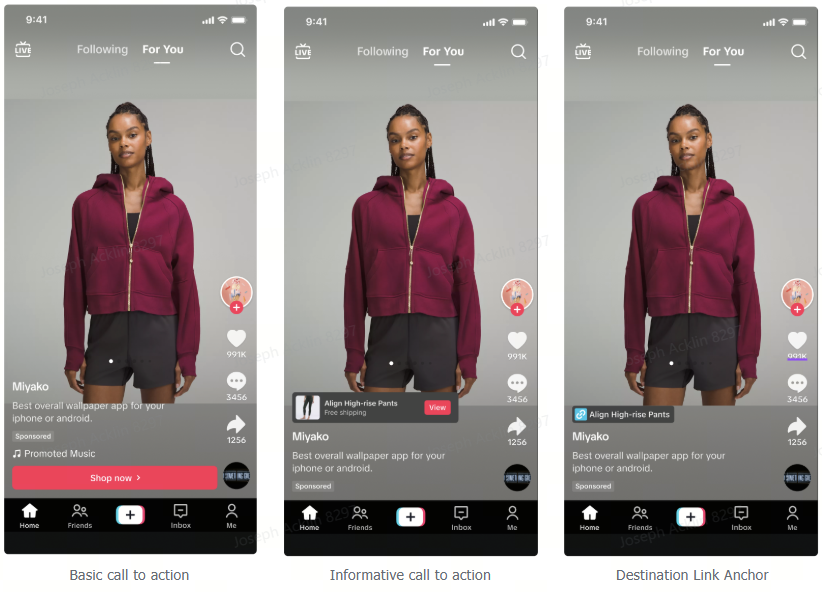
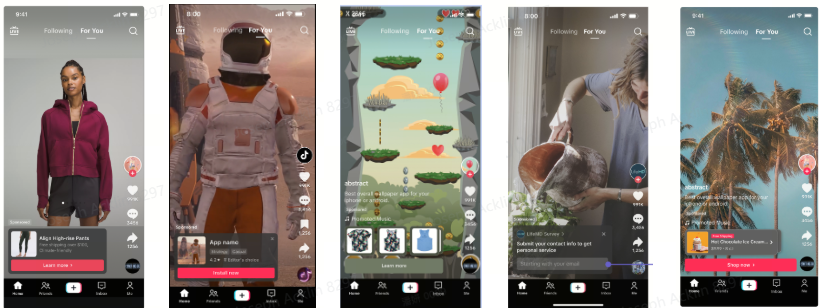
Examples of Automated Ad Format Variations
Variations of Call to Action
Variations of Card
Next Steps
Learn more about TopView.
Learn more about Spark Ads.
Learn more about interactive add-ons.
Learn more about Smart+ campaigns.
