
Thông tin về Tối ưu hóa theo giá trị cho ứng dụng
Lưu ý: Tối ưu hóa theo giá trị (VBO) cho ứng dụng có sẵn cho các chiến dịch ứng dụng trên Android và iOS có sử dụng mục tiêu Quảng cáo ứng dụng.
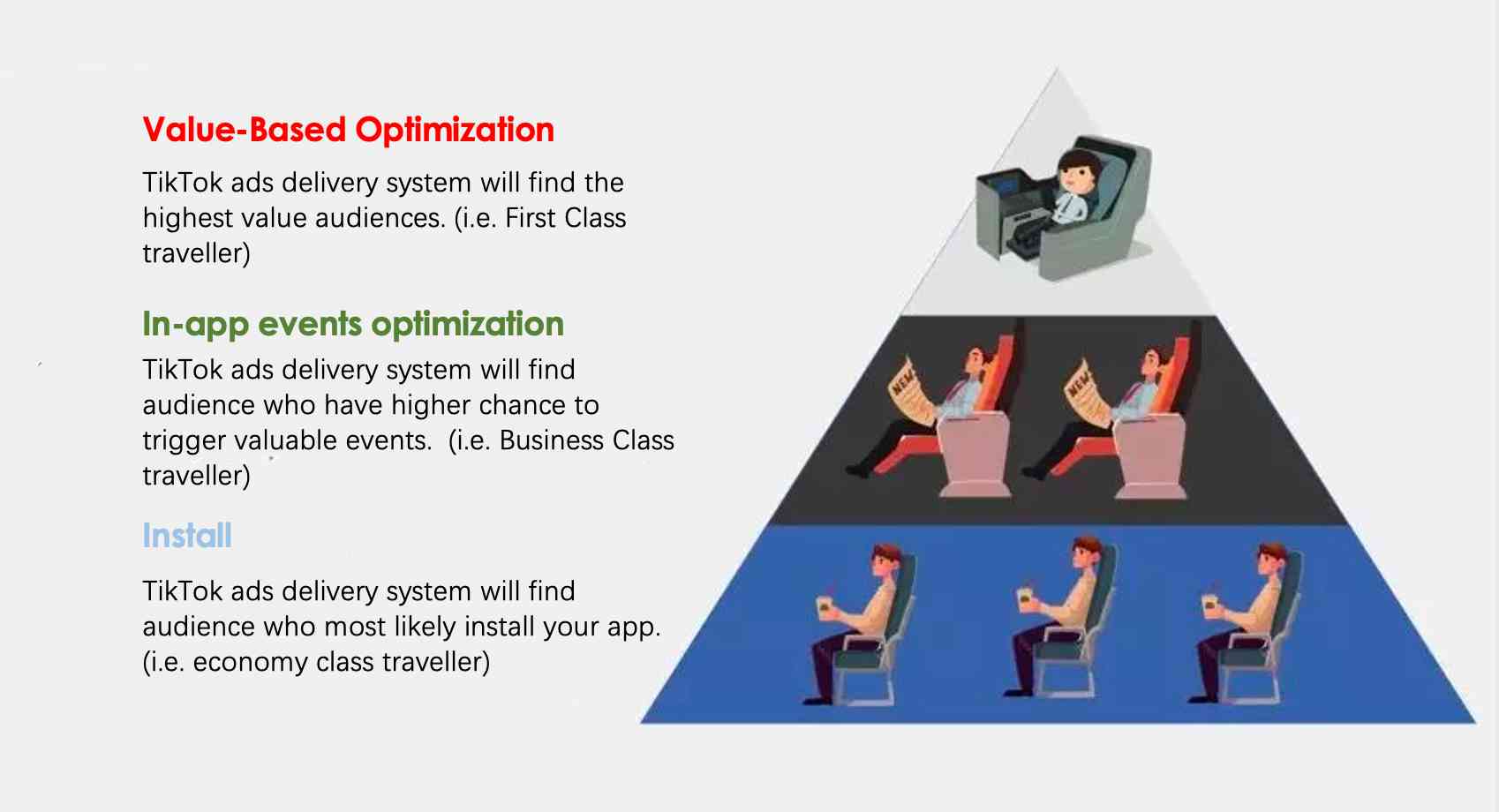
VBO cho ứng dụng hoạt động hiệu quả hơn Tối ưu hóa sự kiện trong ứng dụng bằng cách nhắm mục tiêu những người dùng có nhiều khả năng tạo ra Giá trị mua hàng hoặc Giá trị doanh thu quảng cáo cao hơn. VBO cho ứng dụng tập trung tăng tối đa giá trị dài hạn (LTV) của người dùng được thu nạp từ các chiến dịch quảng cáo.
Tìm hiểu thêm
Tìm hiểu cách quảng bá ứng dụng bằng VBO.
Hãy nhớ xem xét các tiêu chí đủ điều kiện, chẳng hạn như yêu cầu gửi lại Giá trị mua hàng hoặc Giá trị doanh thu quảng cáo làm dữ liệu đầu vào, giúp hệ thống tối ưu hóa cho ROAS.
Để hiểu kết quả của các mục tiêu hiệu suất, bạn có thể xem các chỉ số như ROAS Mua hàng hoặc ROAS Doanh thu quảng cáo trong Trình quản lý quảng cáo TikTok. Bạn có thể cần tùy chỉnh cột để xem các chỉ số này.
Các chiến lược đặt giá thầu dành cho Tối ưu hóa theo giá trị cho ứng dụng bao gồm Giá trị cao nhất hoặc ROAS mục tiêu.
