Announcement
Turn discovery into sales with the Wix and TikTok integration
Connect your Wix store to TikTok and start driving traffic, conversions, and measurable growth.

Building a website is just the beginning. The real challenge is driving the right customers to it and converting that attention into sales.
With the Wix and TikTok integration, businesses can seamlessly connect their storefront with one of the most powerful discovery platforms today, turning content into measurable business growth.
What is the Wix and TikTok integration?
The Wix and TikTok integration connects your Wix website directly to TikTok for Business, making it easy to create, manage, and optimize ad campaigns from one place.
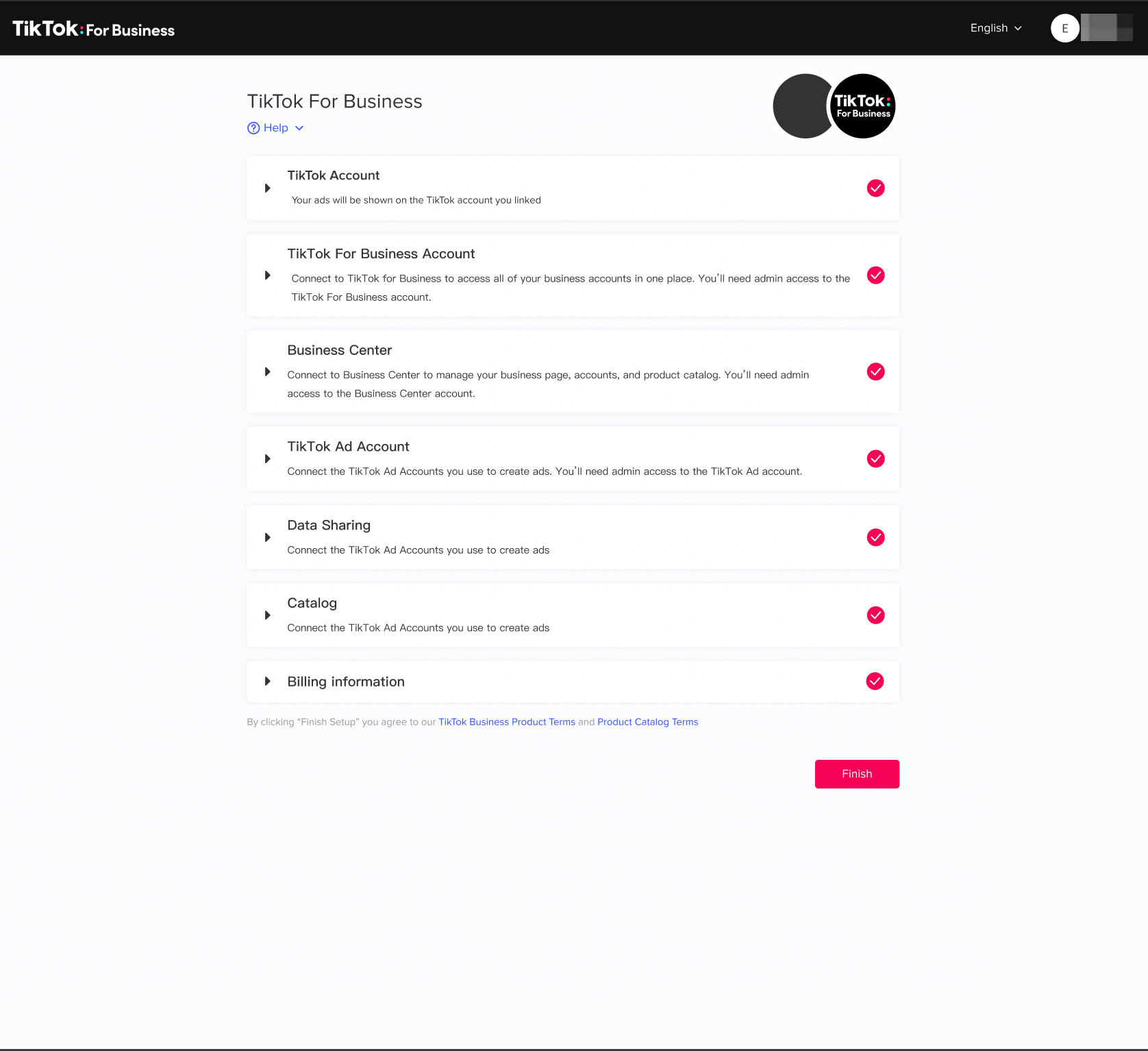
With just a few clicks, businesses can set up essential tools like the TikTok Pixel, Events API, and product catalog, creating a strong foundation for performance marketing.
This integration helps bridge the gap between where your business lives (your website) and where customers discover new brands (TikTok), creating a seamless path from discovery to purchase.
Why Wix and TikTok work better together
For growing businesses, simplicity and performance go hand in hand. The Wix and TikTok integration is designed to remove friction while unlocking better results.
First, it simplifies setup. Instead of managing multiple systems, you can quickly connect to your website, ad account, and data signals, all within Wix.
Second, it improves performance through stronger data connections. By combining TikTok Pixel with Events API, businesses can capture more accurate conversion signals and optimize campaigns more effectively. In fact, advertisers using both have seen:
+19% more incremental events
+15% improvement in CPA
This means better targeting, smarter optimization, and more efficient spend.
Finally, it unlocks advanced commerce capabilities. With product catalog sync, businesses can power solutions like Video Shopping Ads, making it easier to showcase products and drive purchases directly from TikTok content.
How to set up TikTok on Wix
Getting started is simple and only takes a few steps:
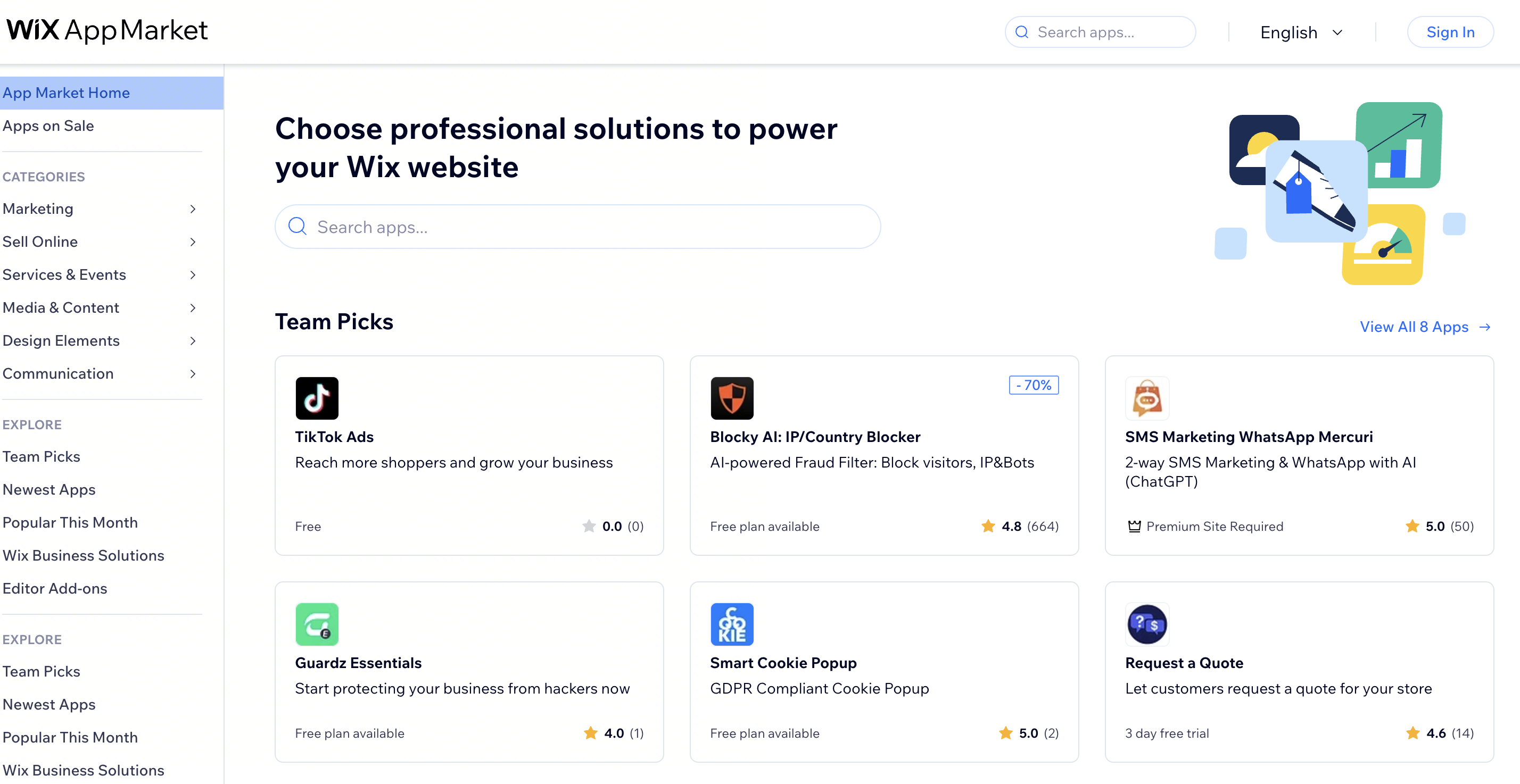
Go to your Wix dashboard and open the Wix App Market
Search for TikTok Ads and add it to your site
Connect your TikTok account and Business Center
Link your assets, including your ad account, pixel, and product catalog
Confirm your setup and you’re ready to start running campaigns
Once connected, you’ll be able to manage campaigns, track performance, and optimize results directly from your Wix environment. Visit TikTok for Business Help Center to learn more.
Start turning content into conversions
The Wix and TikTok integration gives businesses everything they need to move faster, from setup to scale. By connecting your website with TikTok’s discovery engine, you can reach new audiences, improve performance, and turn engagement into real business results.
Submit a handraiser to connect with a TikTok expert and take the next step in growing your business.
Get in contact