
How to set up negative keywords in TikTok Ads Manager
Negative keywords ensure your ads avoid showing against unwanted or irrelevant queries. Negative keywords can be added only after the campaign has been built and saved.
You can control negative keywords at three levels to tailor exclusions to your campaign structure:
Account level: Apply global exclusions across all campaigns for terms that must never trigger your ads, for example, competitors or sensitive terms.
Campaign level: Set exclusions across selected campaigns or initiatives for campaign-specific goals or themes.
Ad Group level: Fine-tune exclusions alongside keyword targeting for granular control over ad group-level messaging and relevance.
Before you begin
There is a manual and bulk upload option for Account level negative keywords in TikTok Ads Manager. You can download the Bulk Upload template. You can add up to 1,000 account-level negative keywords.
For Account level negative keywords, all keywords are added as broad match by default.
How to set up negative keywords
To manually upload Account level negative keywords in TikTok Ads Manager:
Log in to TikTok Ads Manager.
Click on Tools.
Select Search Center.
Click Add Negative Keywords and click Add to manually add account-level negative keywords.

Navigate to Add Negative Keywords box.
Add each keyword one by one.
Click Return on your keyboard to add.
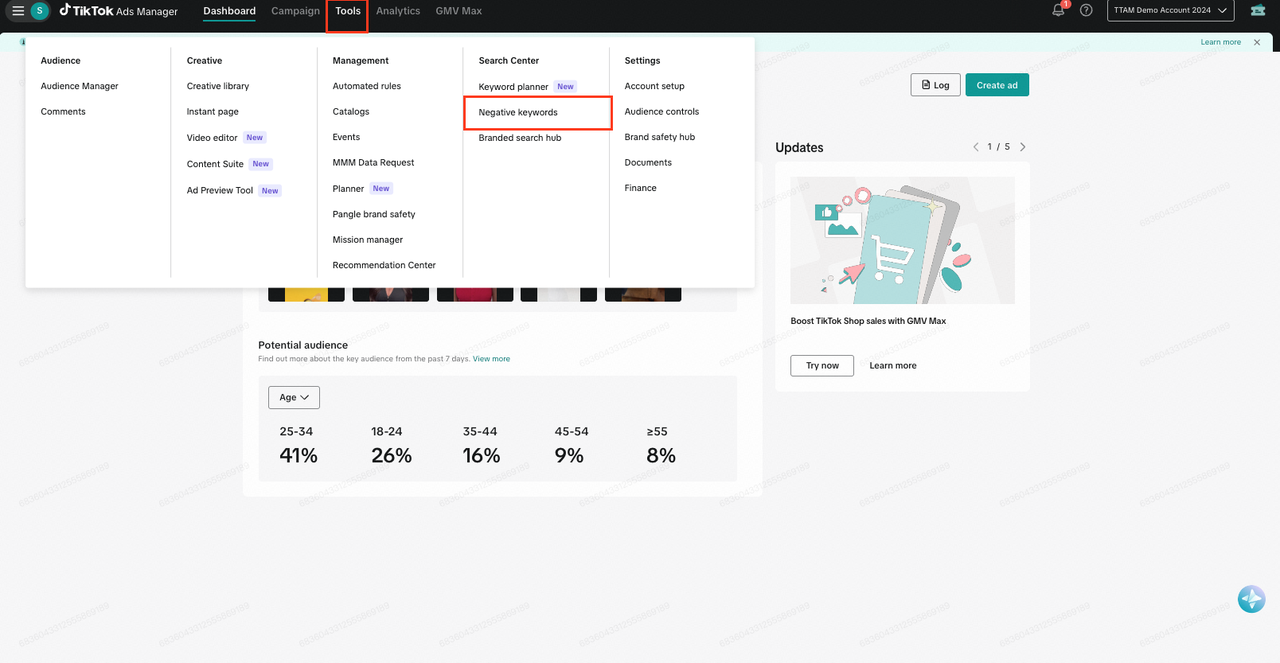
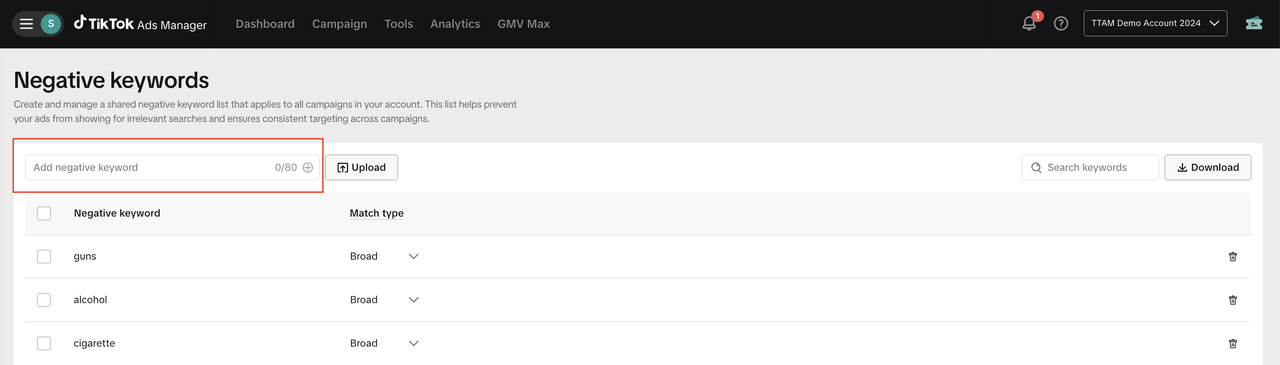
To bulk upload Account level negative keywords in TikTok Ads Manager:
Log in to TikTok Ads Manager.
Click on Tools.
Select Search Center
Select Negative Keywords
Next to Add Negative Keywords box, click Upload.
Download the Bulk Upload template.
Match entries to the column head.
Click Continue.
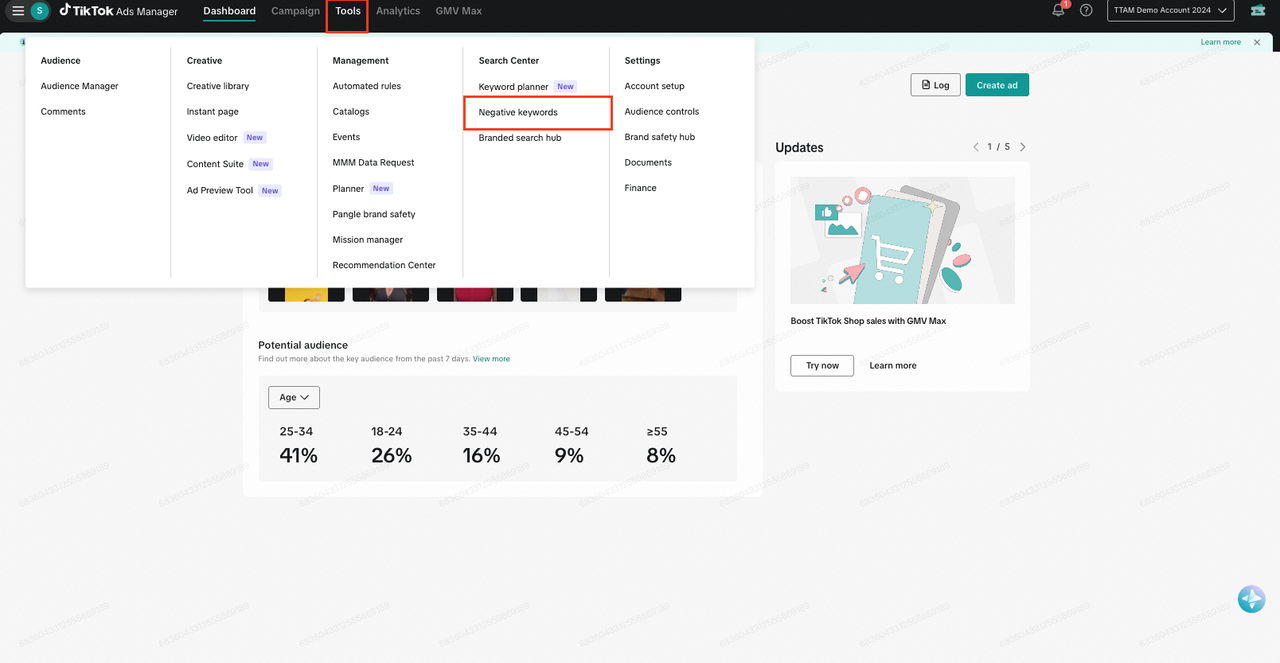


To set up Campaign level negative keywords in TikTok Ads Manager:
Log in to TikTok Ads Manager and build a campaign.
At the campaign-level, click View Data.
On the side panel, select Search.
Click Keywords.
Click Set Negative Keywords.
Upload your keywords using the provided template.


To set up Ad Group level negative Keywords in TikTok Ads Manager:
Log in to TikTok Ads Manager and build an ad group.
At the ad group level, click View Data.
On the side panel, select Search.
Click Keywords.
Click Set Negative Keywords.
Choose an upload method and click Upload.
Click Add to upload your keywords.


